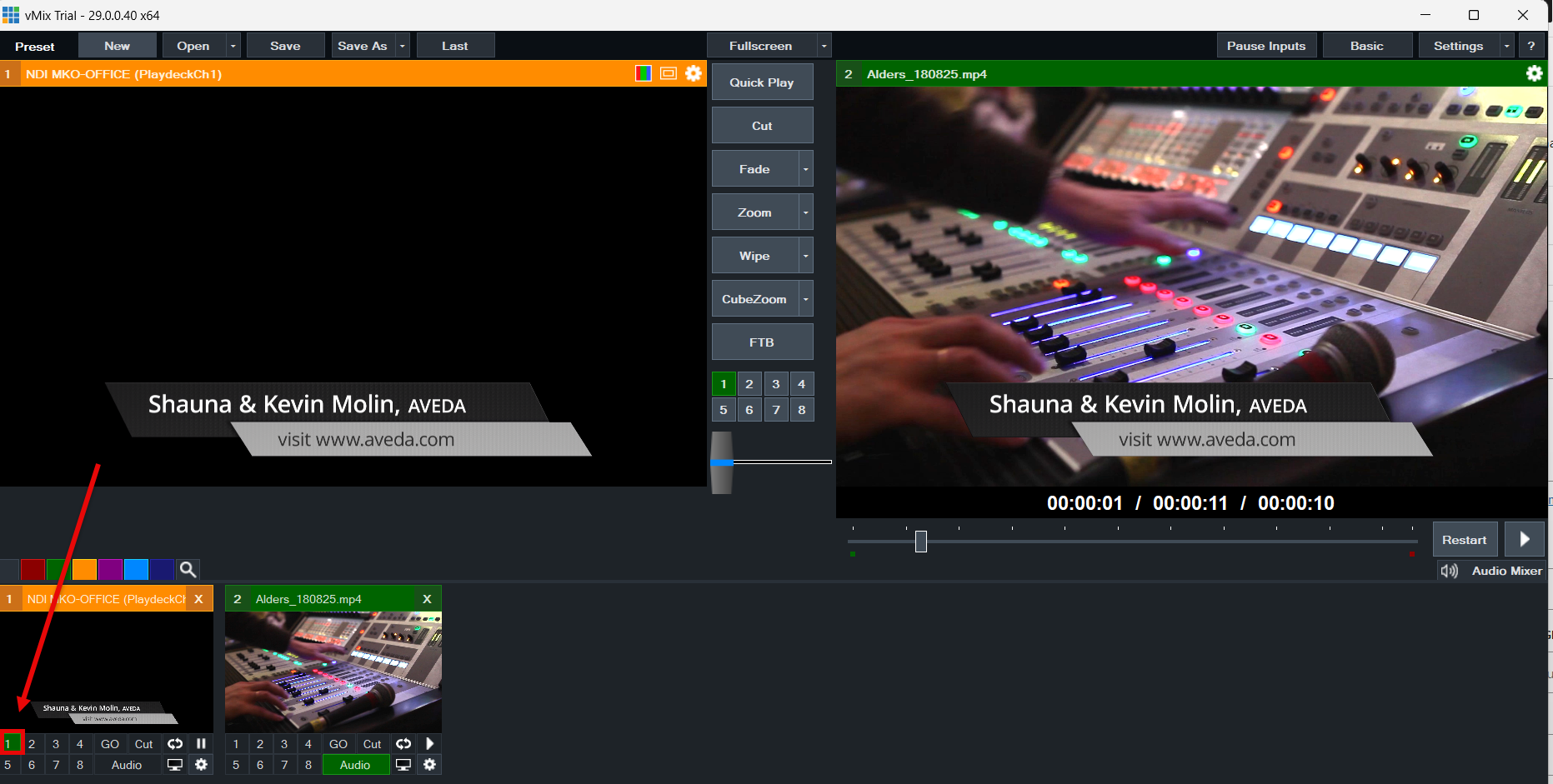

La meilleure façon de connecter vMix à PLAYDECK (dans les deux sens) est d'utiliser le mode NDI. L'audio multicanal est également entièrement pris en charge, tout comme le mode Keying.
Envoyer une vidéo depuis vMix vers PLAYDECK
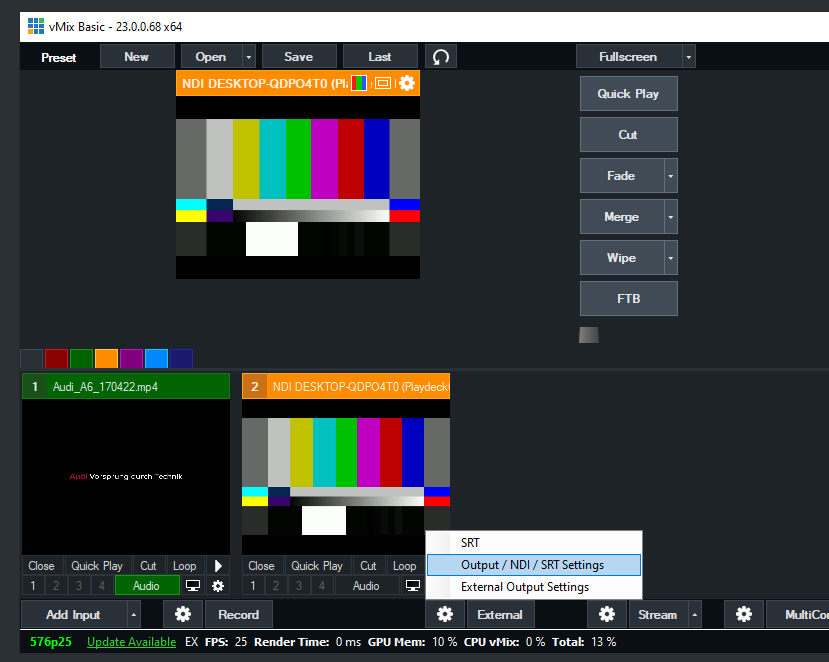
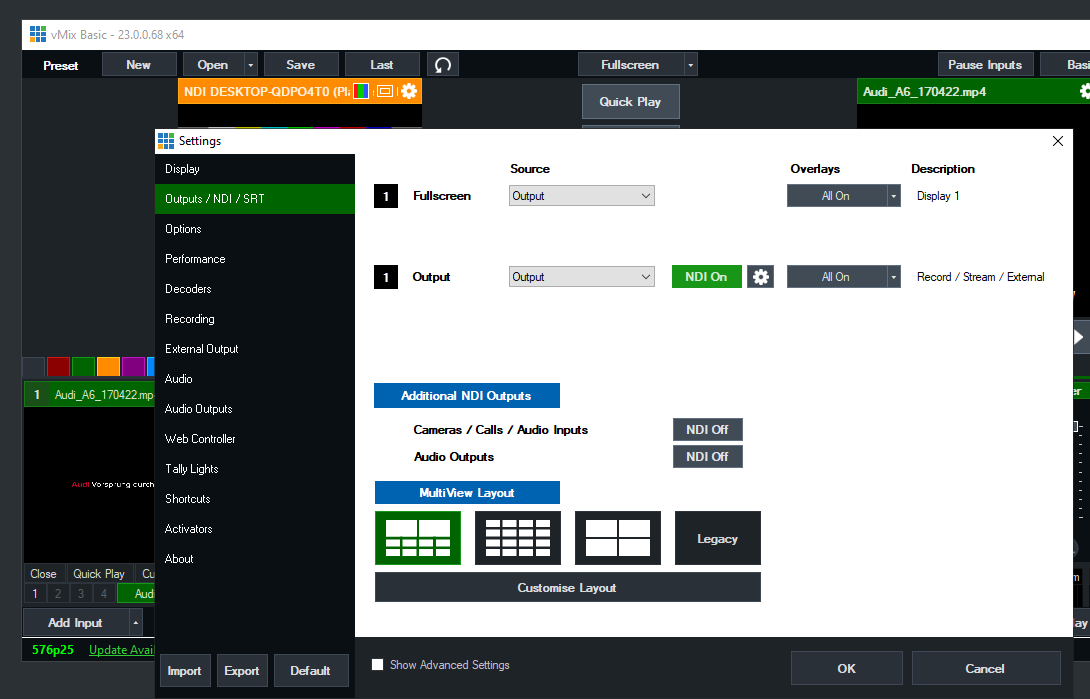
Il vous suffit d'activer NDI en tant que sortie externe, comme suit :
Envoyer une vidéo depuis PLAYDECK vers vMix
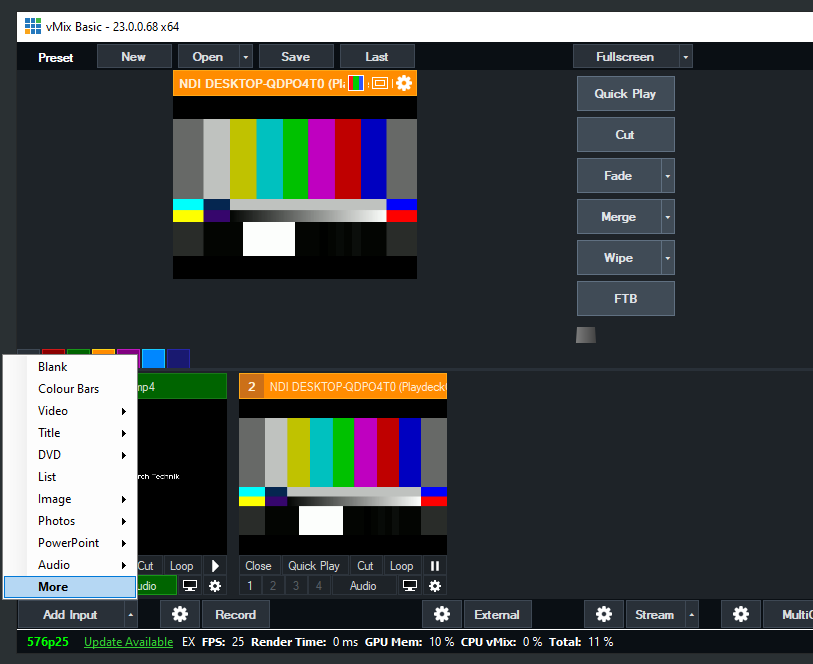
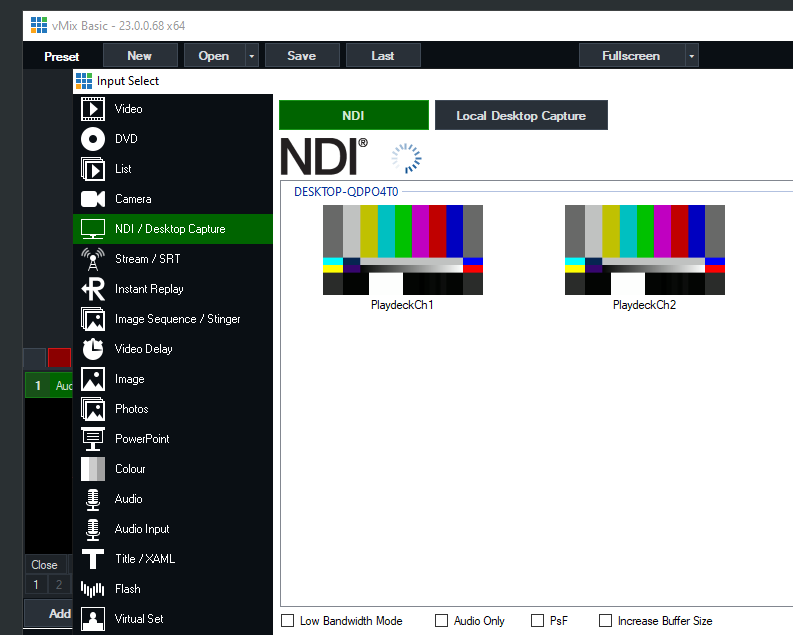
Activez la sortie NDI dans PLAYDECK et ajoutez le NDI en tant que nouvelle source dans vMix comme suit :
Envoyer un signal de remplissage avec canal alpha depuis PLAYDECK vers vMix
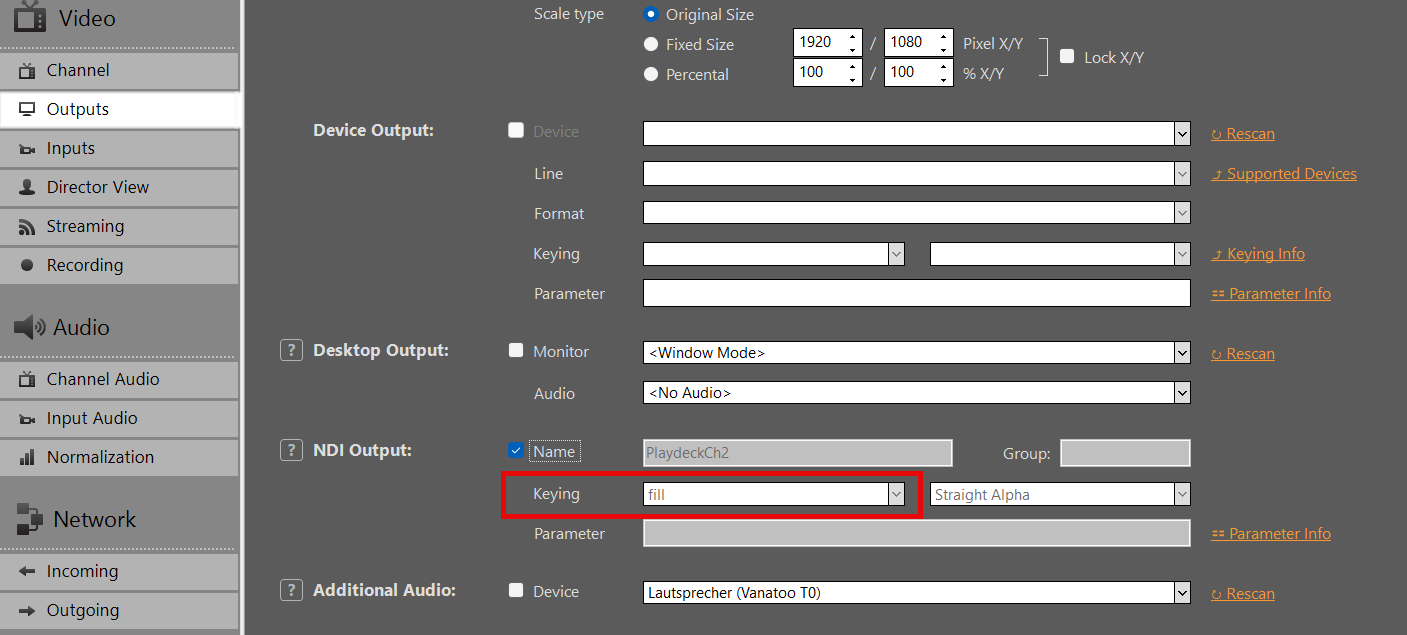
Activez la sortie NDI dans PLAYDECK, mais cette fois-ci, activez également la sortie Keying :
Ajoutez votre NDI en tant qu'entrée dans vMIX :
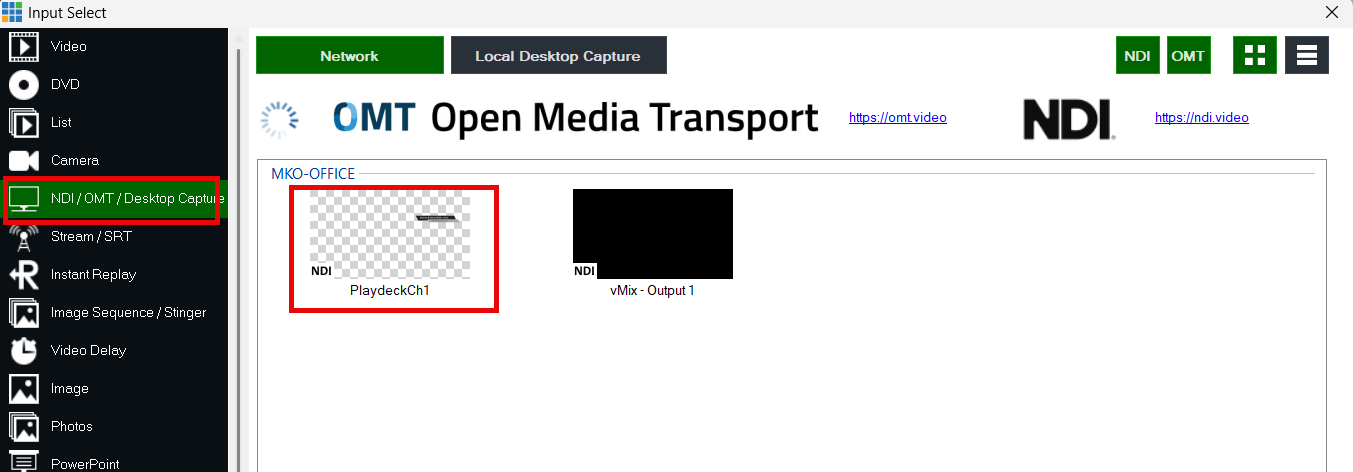
Utilisez les boutons de superposition pour superposer la vidéo sur le signal vidéo actuel dans vMIX :