

Integrate PLAYDECK into scripts, automation systems, and custom user interfaces using our standard REST API (OpenAPI 3) and WebSocket interface for real-time control on a single port.
In this article:
→ Which interface do I need?
→ REST API quickstart
→ Interactive API Reference
→ WebSocket real-time channel
→ Legacy TCP Commands Input
→ Integration Examples
Which interface do I need?
PLAYDECK offers different interfaces depending on your integration requirements. Use the following overview to select the correct protocol and port:
| Use Case | Recommended Interface | Port |
|---|---|---|
| Scripts, cURL, Postman, Custom HTTP Integrations | REST API /api/v1 (OpenAPI 3) | 11411 |
| Live Status, Events, HTML Overlays, Bitfocus Companion | WebSocket Channel | 11411 |
| Ready-made Control Surfaces | Bitfocus Companion (via WebSocket) | 11411 |
| Legacy TCP Clients / Existing Automation Pipelines | TCP Commands In | 11375 |
Recommendation: Most new integration projects should start with the REST API. Switch to or combine it with WebSocket only if you require continuous, low-latency status updates or real-time event triggers.
REST API quickstart
While PLAYDECK is running, the HTTP REST API is automatically available on port 11411 (sharing the same service as the built-in Web Remote).
Base URL
http://HOST:11411/api/v1
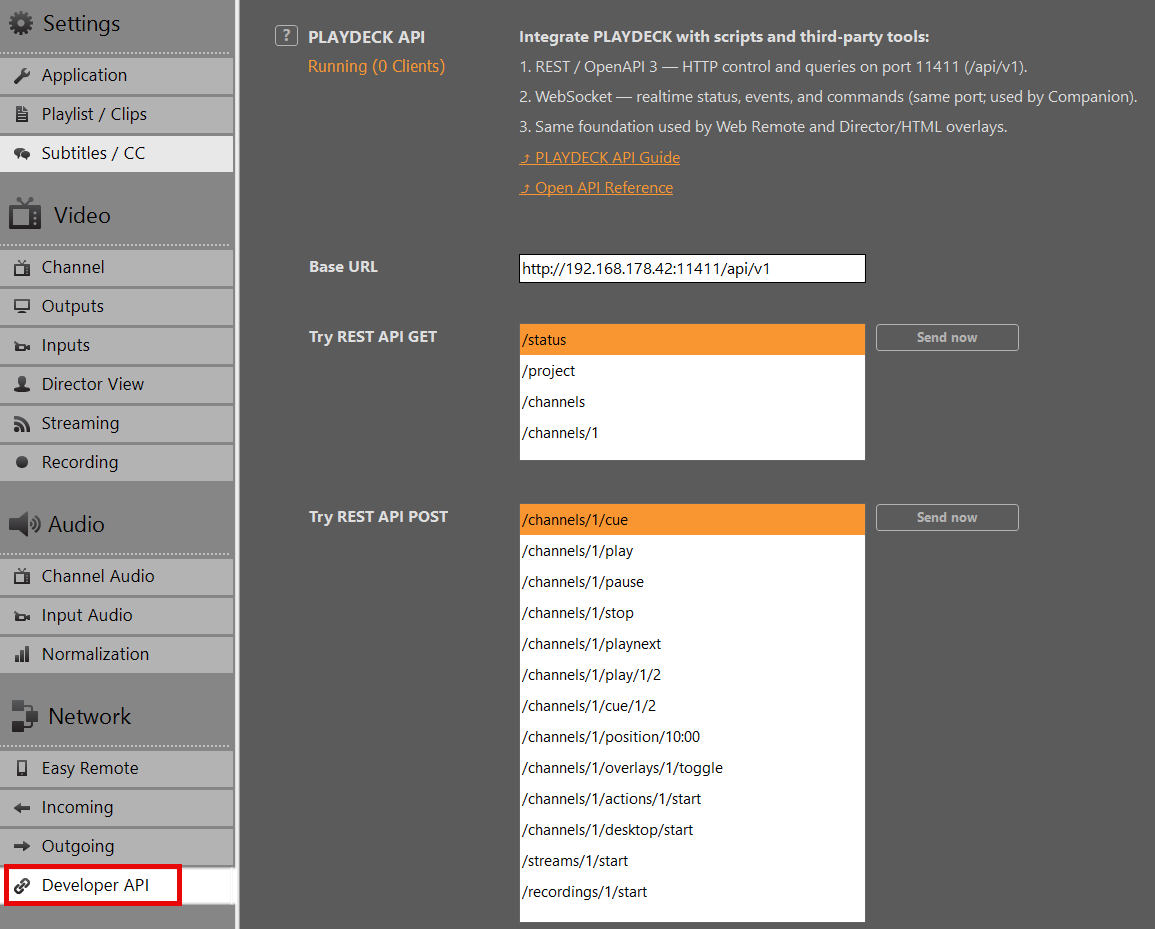
Replace HOST with the actual IP address of your PLAYDECK machine, found under Settings ➔ Network ➔ Developer API.
Testing inside PLAYDECK
You do not need external tools to start testing. Open Settings ➔ Network ➔ Developer API within the software application to send sample requests directly from the UI or launch the interactive documentation.
HTTP Request Examples
1. Service Health Check:
GET /api/v1/health HTTP/1.1
Host: HOST:11411
2. Retrieve Playout Status (JSON response):
GET /api/v1/status HTTP/1.1
Host: HOST:11411
3. Trigger Play on Playout Channel 1:
POST /api/v1/channels/1/play HTTP/1.1
Host: HOST:11411
4. Play Block 1, Clip 2 on Playout Channel 1:
POST /api/v1/channels/1/play/1/2 HTTP/1.1
Host: HOST:11411
Many actions accept optional path parameters for targeted control (such as block/clip IDs, timecode offsets, or overlay IDs).
Legacy Command Escape Hatch
If you need full coverage of the classic PLAYDECK command language via HTTP, you can pass pipe-formatted commands into the dedicated commands endpoint:
POST /api/v1/commands HTTP/1.1
Host: HOST:11411
Content-Type: application/json

{
  "command": "play",
  "args": ["1", "1", "2"]
}
Note: No API key or authentication token is required for local area network (LAN) operations in the current version.
Interactive API Reference
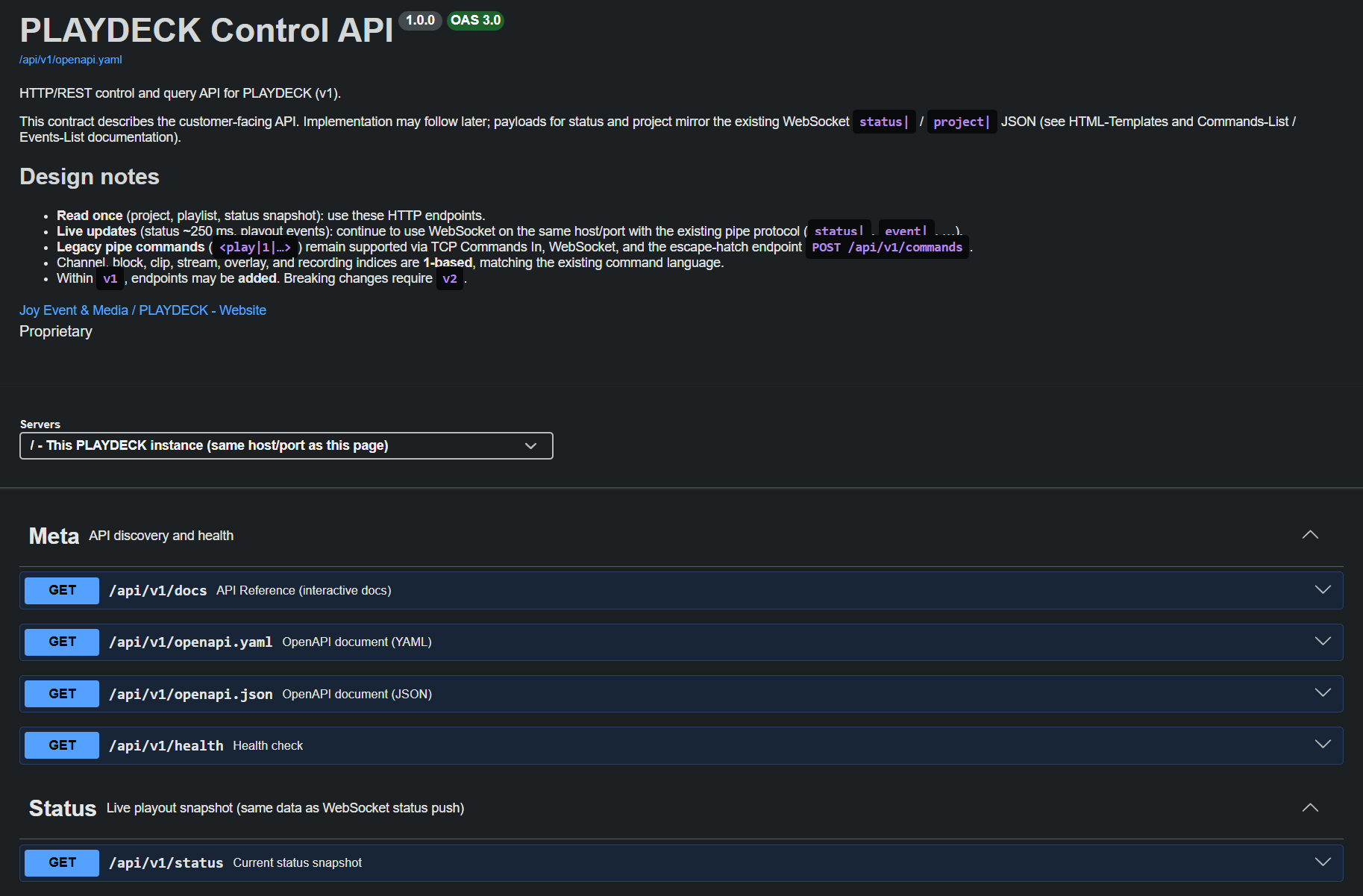
The complete machine-readable contract for this interface is provided as an OpenAPI 3 specification document.
➔ Download: OpenAPI Specification (YAML)
For interactive browsing, payload inspection, and direct “Try it out” testing against your active PLAYDECK instance:
- Launch PLAYDECK.
- Navigate to Settings ➔ Network ➔ Developer API and click Open API Reference.
- Alternatively, open a web browser on any machine within the same network and navigate to:
http://HOST:11411/api/v1/docs
This documentation page dynamically lists all available REST endpoints, required parameters, schema definitions, and expected response payloads.
WebSocket real-time channel
Port 11411 simultaneously handles WebSocket connections. This bi-directional channel is engineered specifically for operations requiring sustained data streaming:
- Continuous Playout Status: High-frequency playback position tracking and timecode updates.
- Event Triggers: Immediate notifications when a clip, block, or playlist starts, stops, or loops.
- Classic Pipe Commands: Direct processing of native control commands formatted as
<play|1|...>.
The official Bitfocus Companion PLAYDECK module, the Web Remote UI, custom HTML graphics overlays, and Director View templates utilize this specific real-time channel. Complete syntax documentation for commands and event types can be found directly within the application package or within your local template directory:
Web Remote UI:
c:\Program Files\JoyEventMedia\Playdeck\html\webremote.html

HTML-Templates:
C:\Users\Public\Documents\JoyEventMedia\Playdeck\HTML-Templates\
or
c:\Users\<user>\AppData\Local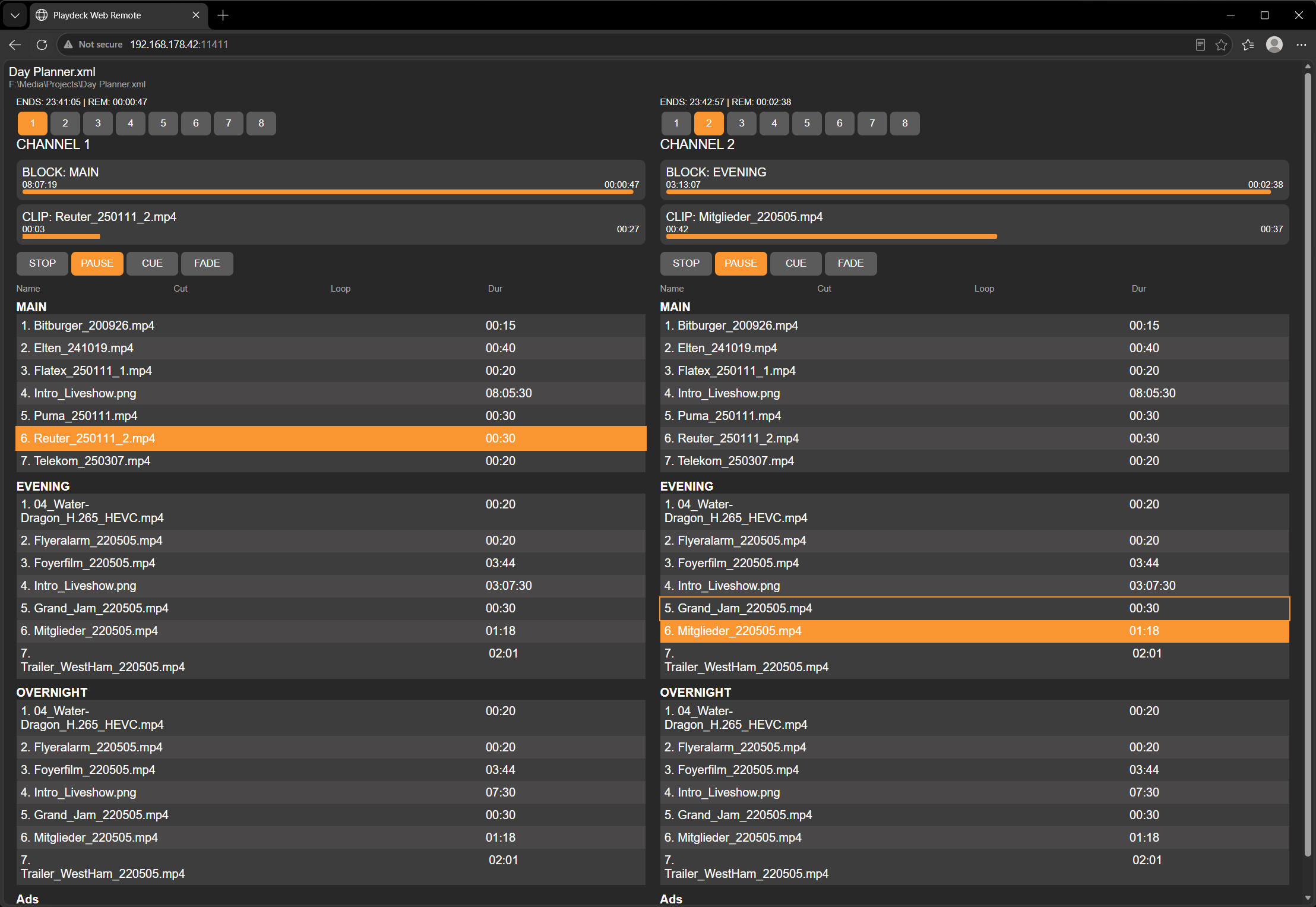
Legacy TCP Commands Input
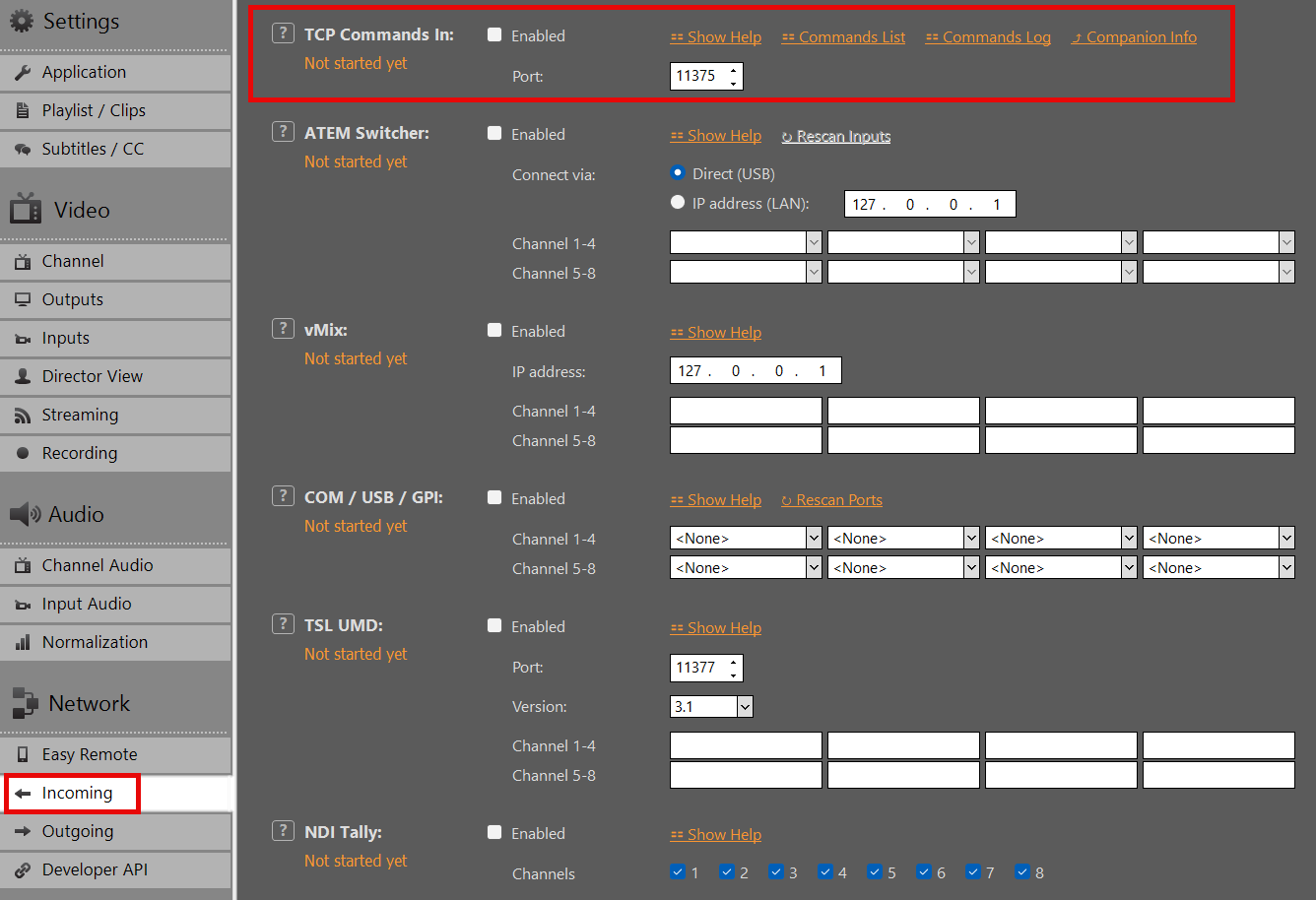
To maintain backwards compatibility with existing broadcast automation infrastructure, PLAYDECK continues to accept incoming raw TCP connections on port 11375.
This setting is managed under Settings ➔ Network ➔ Incoming ➔ TCP Commands In. The payload syntax matches the pipe-delimited format used by the WebSocket channel and the REST /api/v1/commands endpoint.
- Developer Note: For all clean-sheet development projects and new script integrations, we highly recommend utilizing the REST API instead of raw TCP sockets.
Integration Examples
- Bitfocus Companion: Rapid deployment of physical hardware control surfaces using our production-ready native module over WebSockets.
- Web Remote: Full-featured production control interface accessible through any browser on port
11411. - Director View & HTML Overlays: Built-in web templates showcasing live status binding.
- Custom Software Tools: Rapid application development using standard HTTP clients generated from our OpenAPI specification, optionally backed by WebSockets for telemetry.
Questions or custom workflow requirements? Contact our engineering team at [email protected].