
This article will show how to create a Audio Playlist and combine this with a looping video, perfect for pre-show waiting Loops.
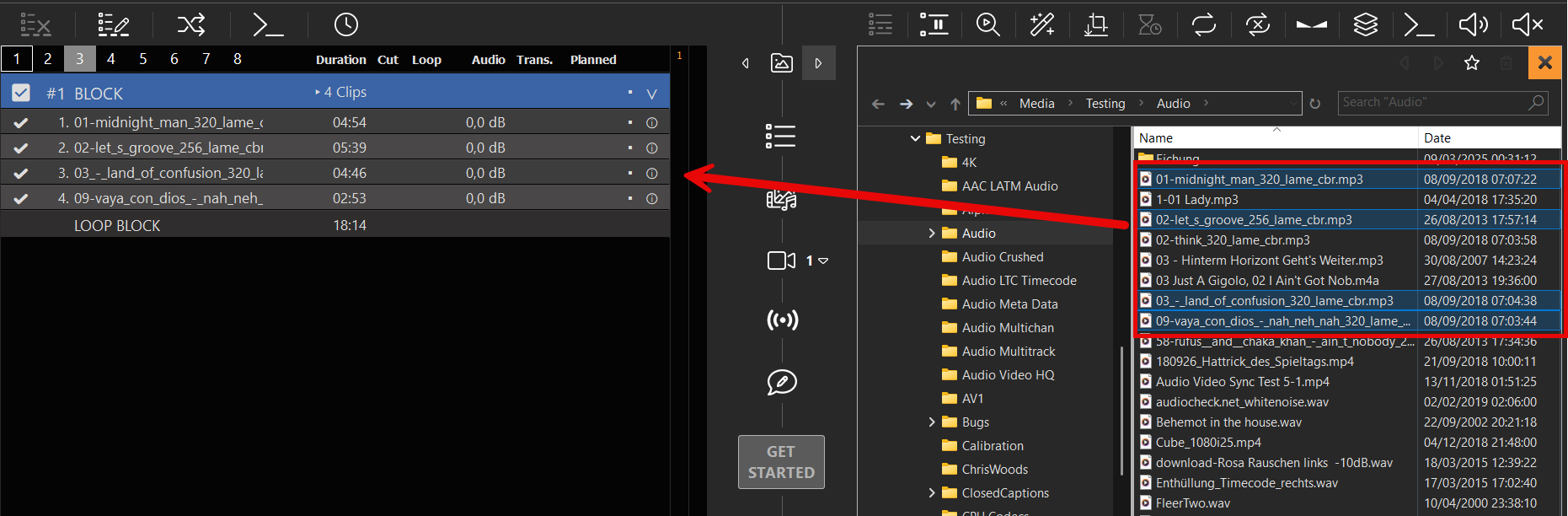
We start by creating a loop block and insert some mp3 audio file to the block:
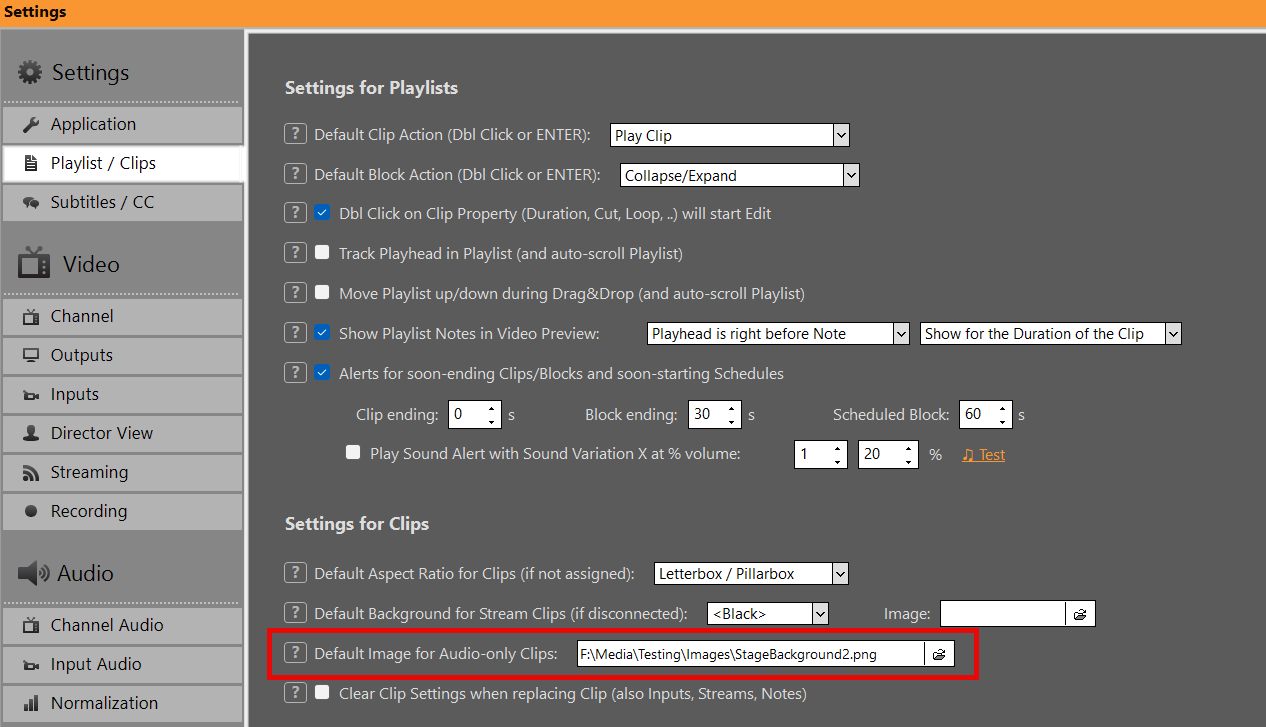
Now we add a default image, which is shown, whenever audio-only clips are playing:
And voila, we have a pre-show waiting loop:
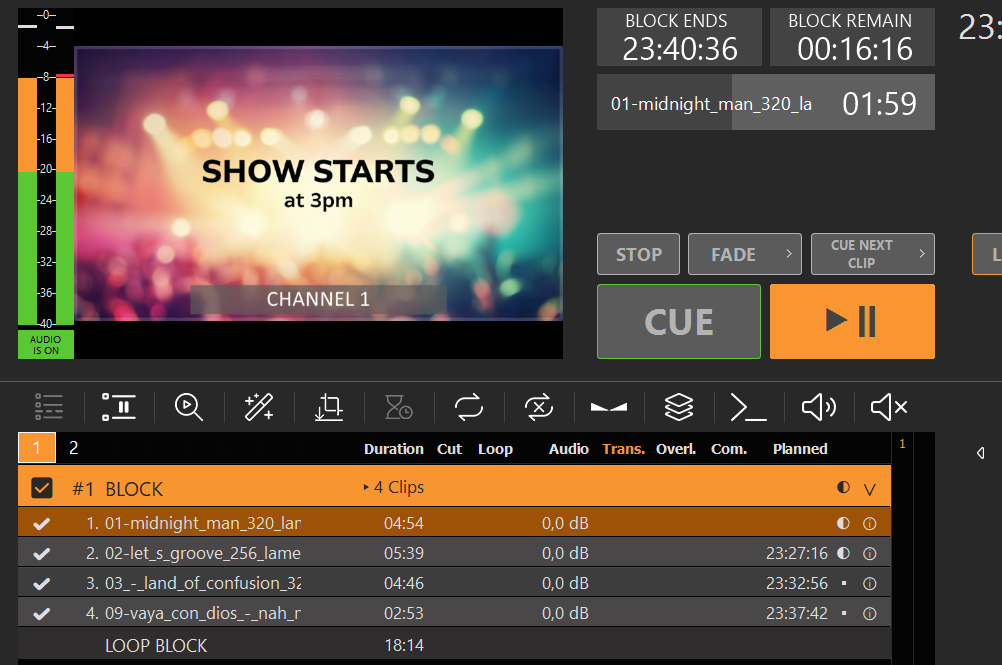
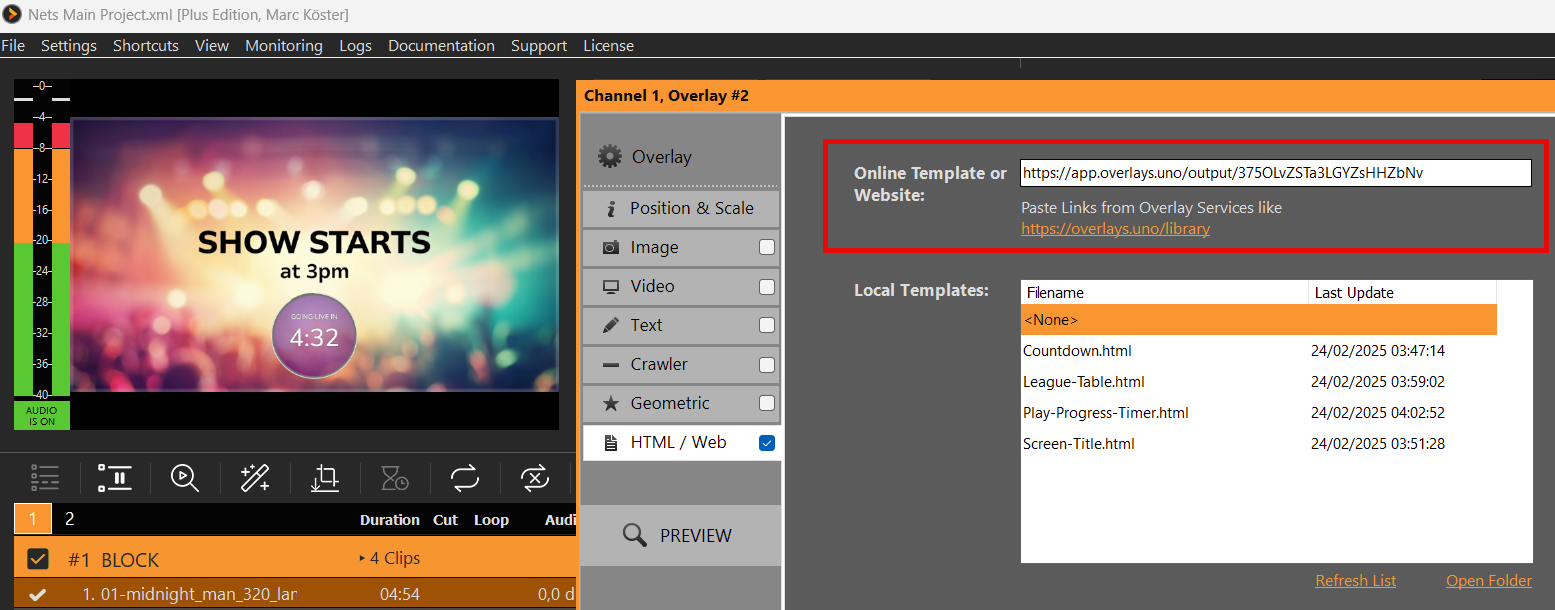
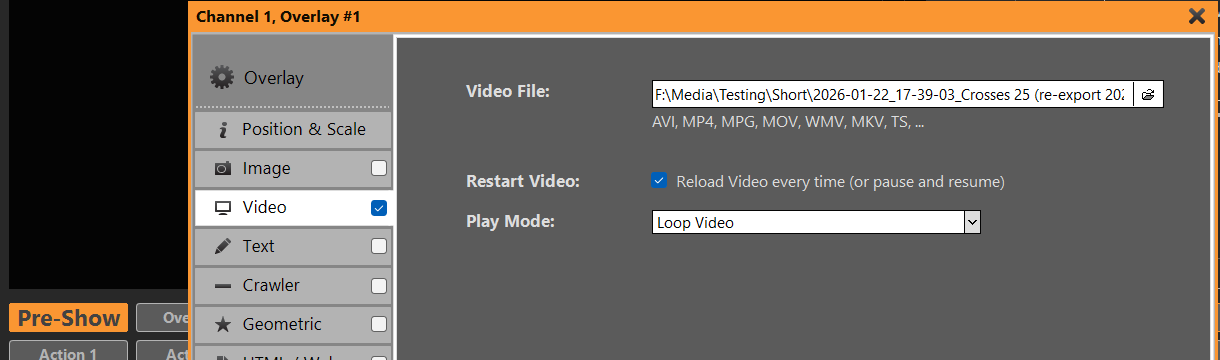
But that’s not all. We can also use a video loop instead of a still image. For this we add the video as overlay with a loop setting. The video will be shown in fullscreen, if it has the same size, otherwise we can scale it in the overlay settings:
We could also add an Countdown via overlays.uno. Quick and easy: