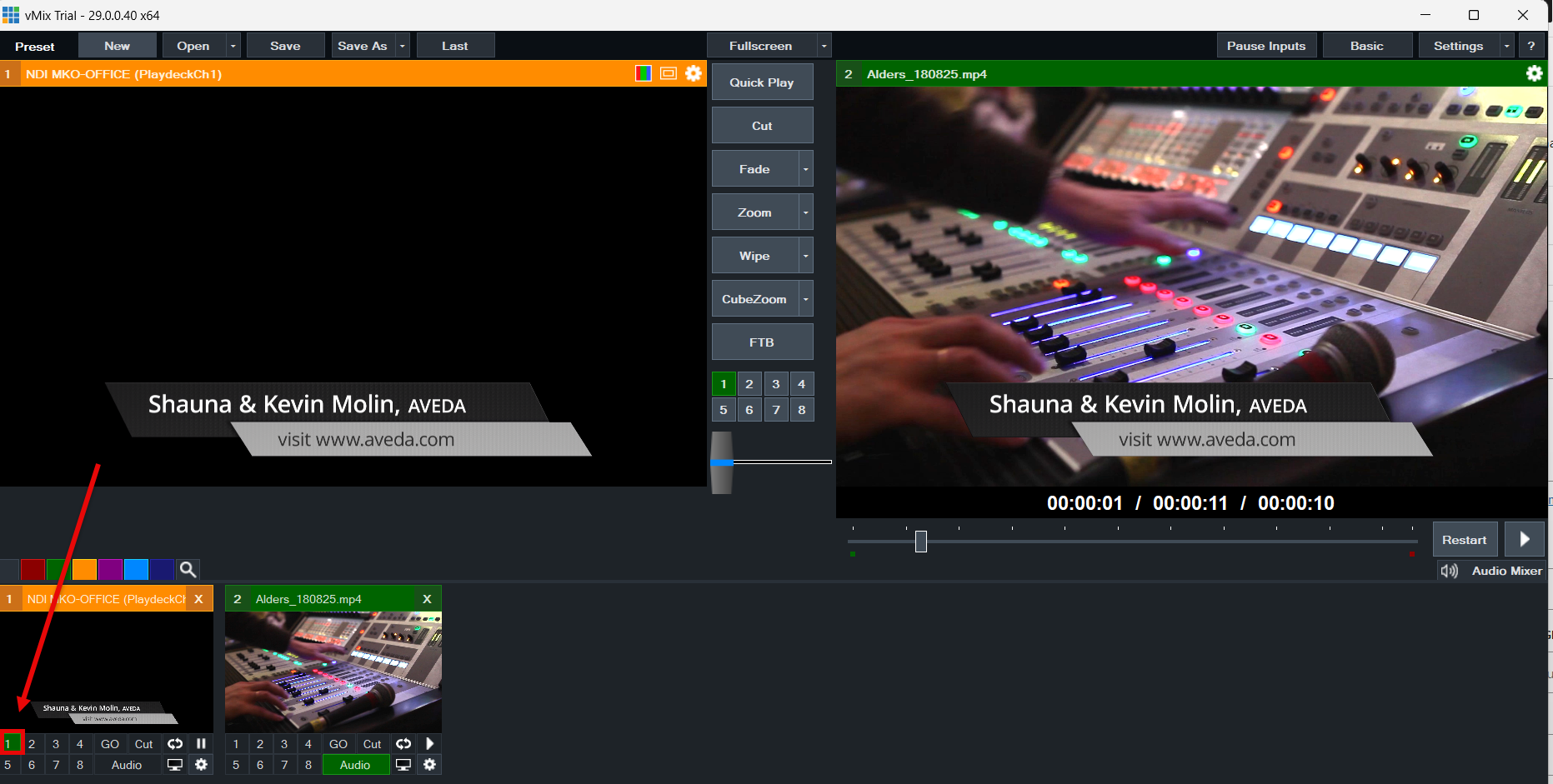

A melhor maneira de conectar o vMix ao PLAYDECK (nos dois sentidos) é o NDI. O áudio multicanal também é totalmente compatível, assim como o Keying.
Enviar vídeo do vMix para o PLAYDECK
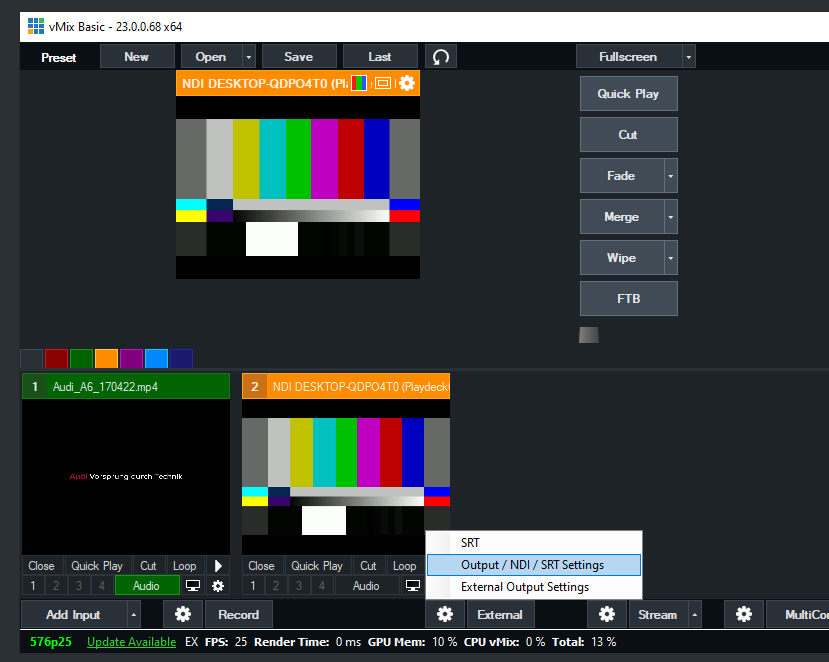
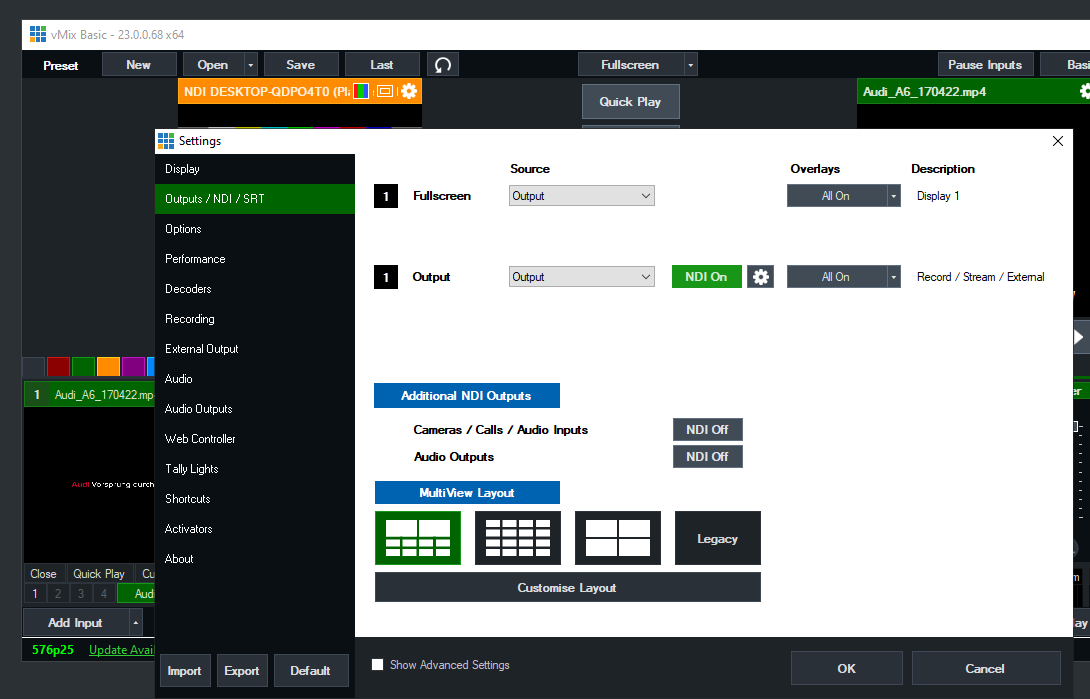
Basta ativar o NDI como Saída Externa da seguinte maneira:
Enviar vídeo do PLAYDECK para o vMix
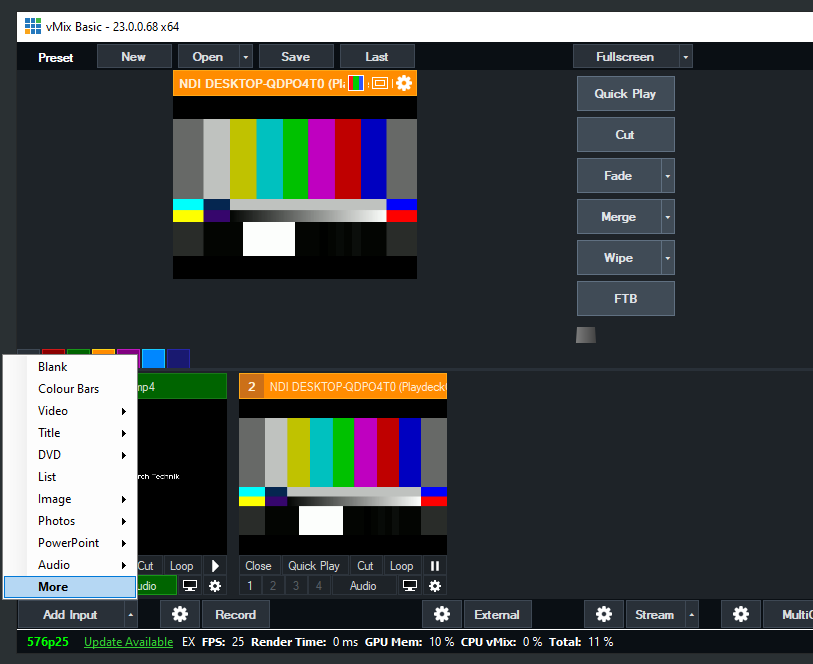
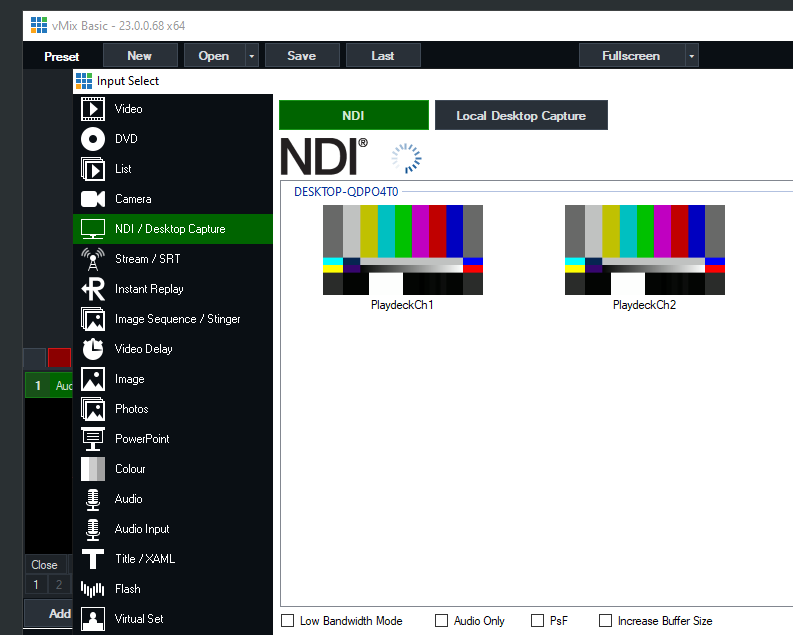
Ative a saída do NDI no PLAYDECK e adicione o NDI como uma nova fonte no vMix da seguinte maneira:
Enviar sinal de preenchimento com canal alfa do PLAYDECK para o vMix
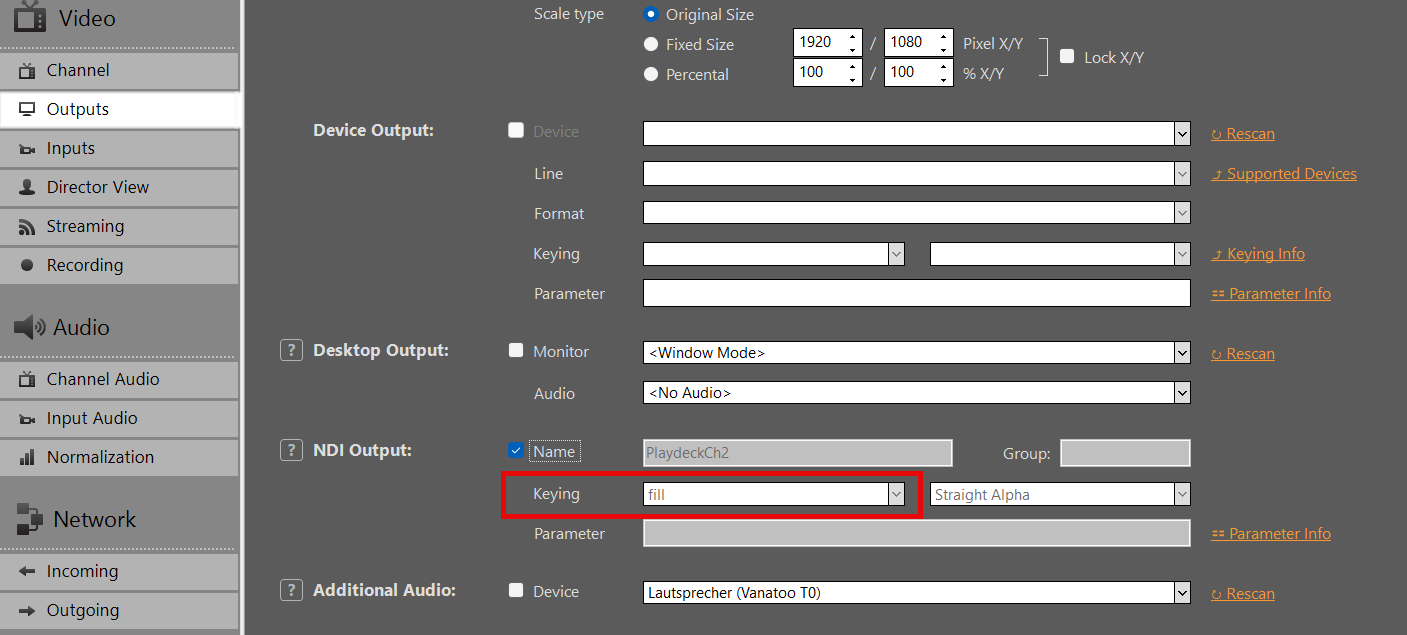
Ative a saída NDI no PLAYDECK, mas, desta vez, ative também a Keying:
Adicione seu NDI como entrada no vMIX:
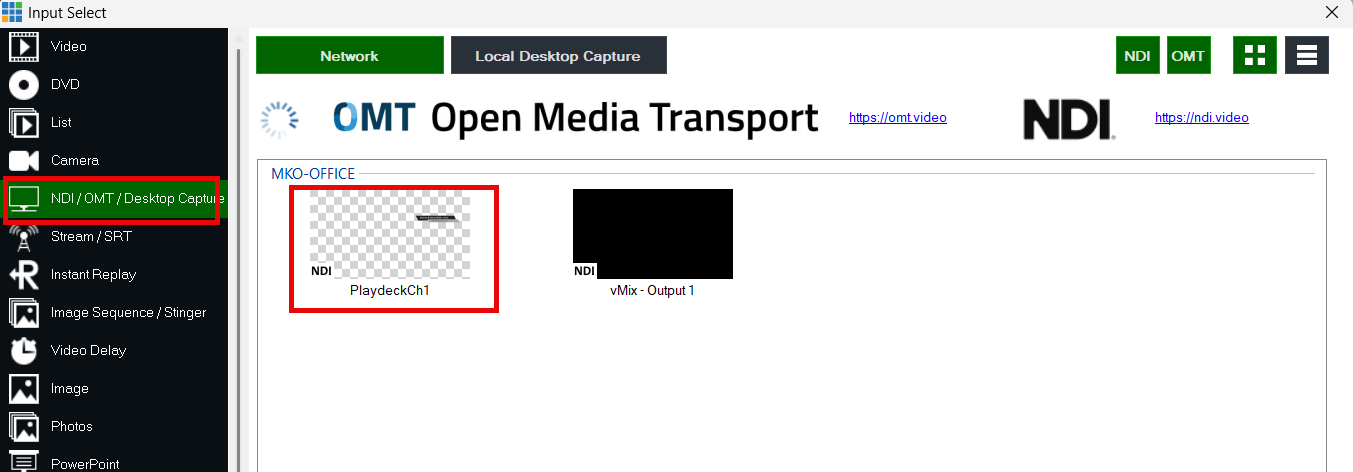
Use os botões de sobreposição para sobrepor o vídeo ao sinal de vídeo atual no vMIX: