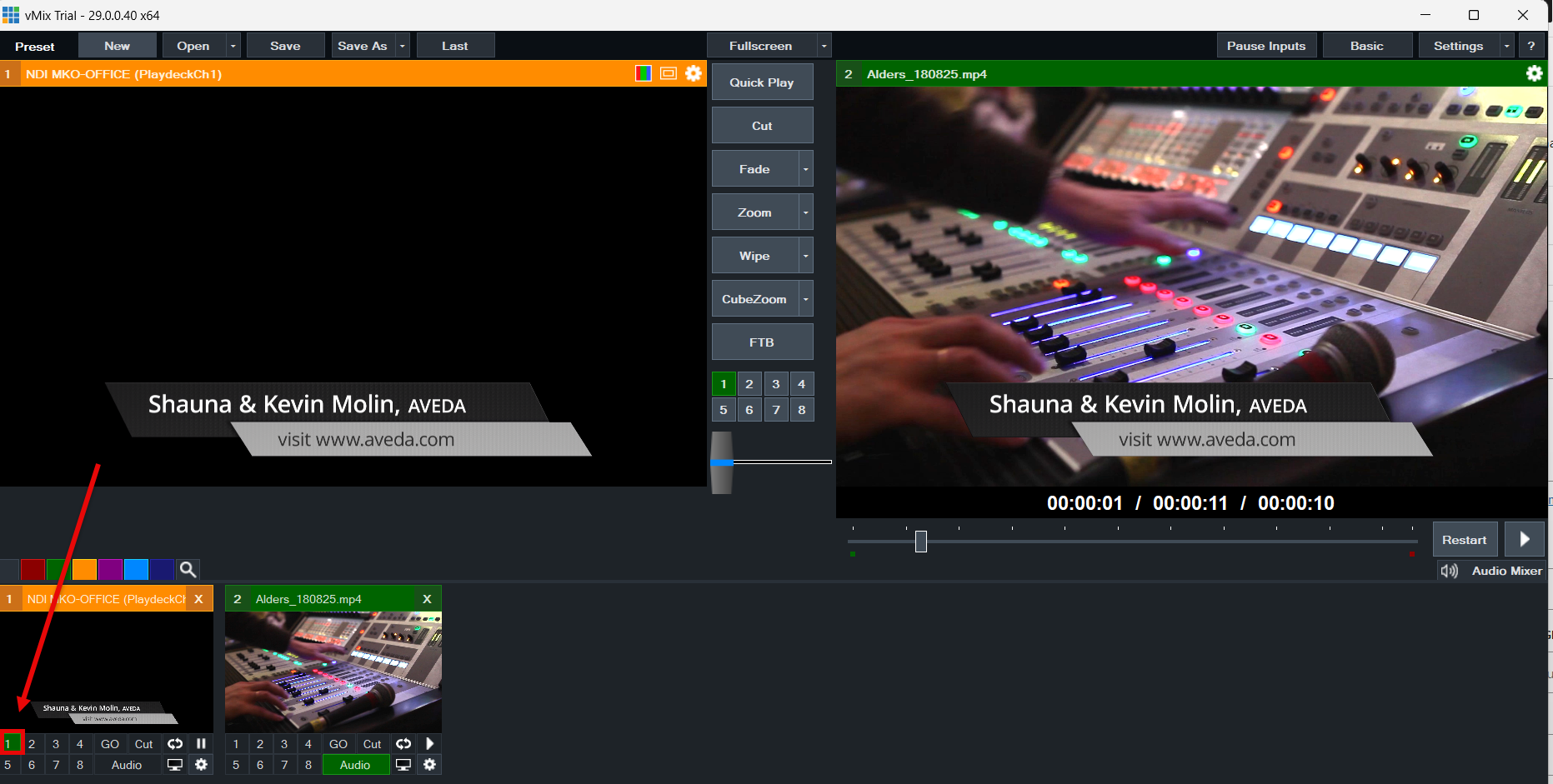

La mejor forma de conectar vMix con PLAYDECK (en ambos sentidos) es mediante NDI. El audio multicanal también es totalmente compatible, al igual que Keying.
Enviar vídeo desde vMix a PLAYDECK
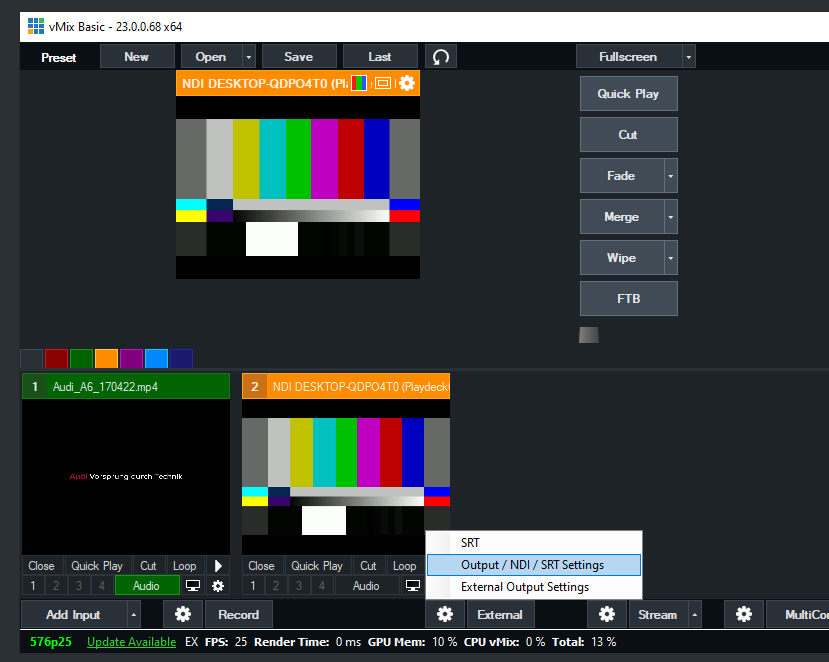
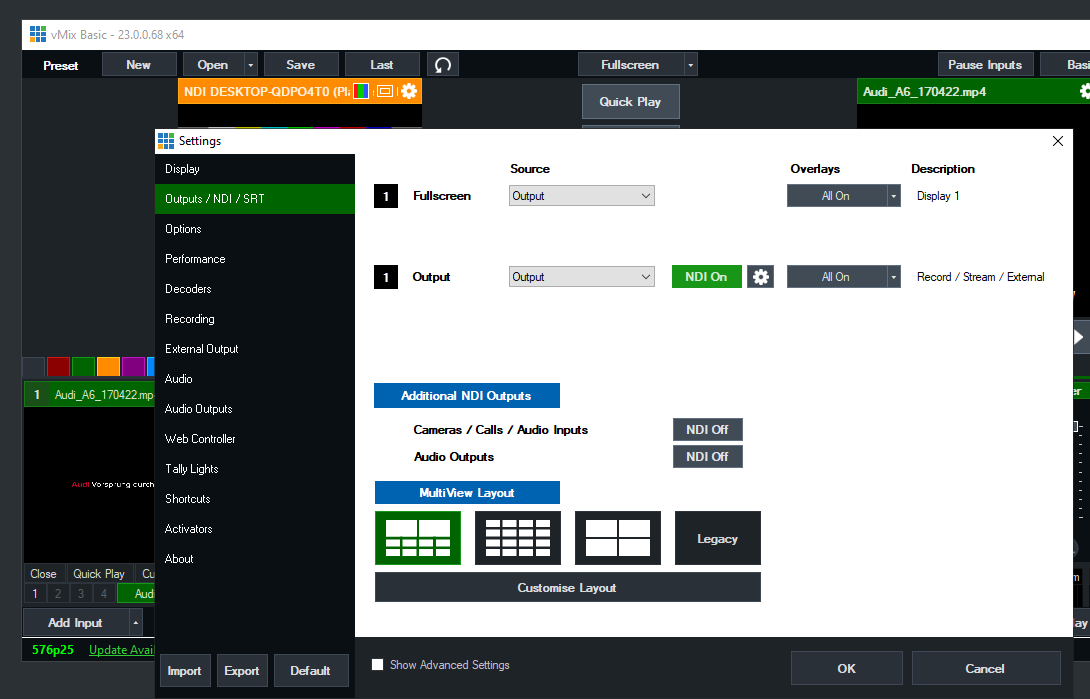
Solo tienes que activar NDI como salida externa de esta manera:
Enviar vídeo desde PLAYDECK a vMix
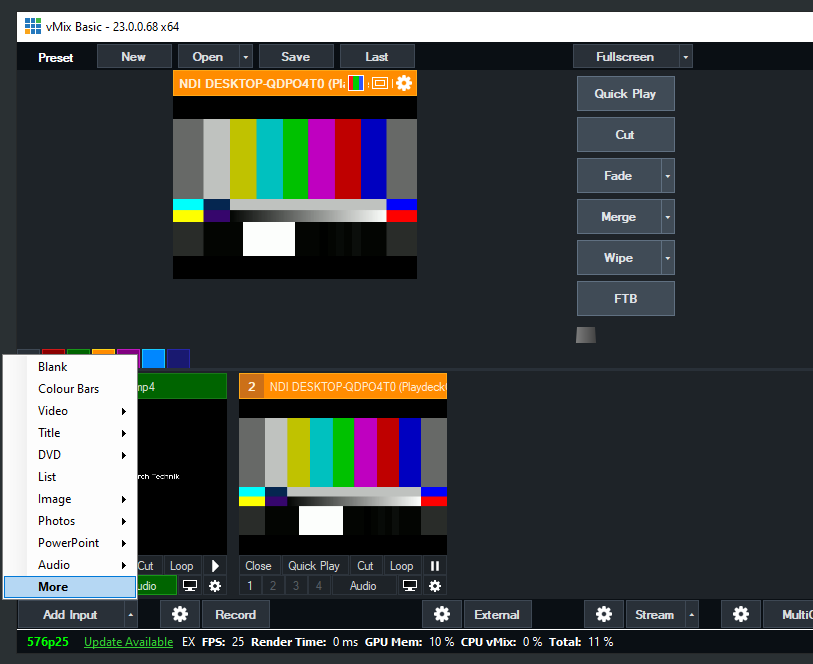
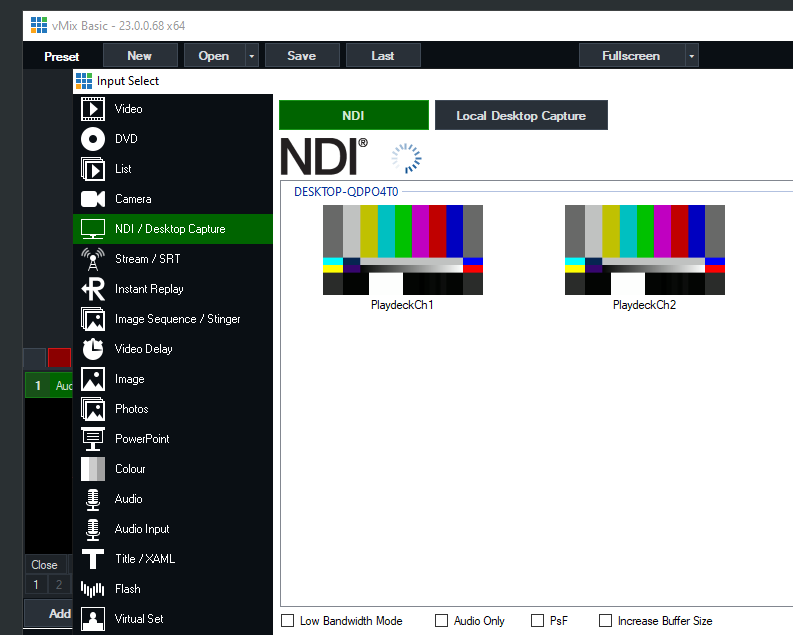
Activa la salida NDI en PLAYDECK y añade el NDI como nueva fuente en vMix de la siguiente manera:
Enviar señal de relleno con canal alfa desde PLAYDECK a vMix
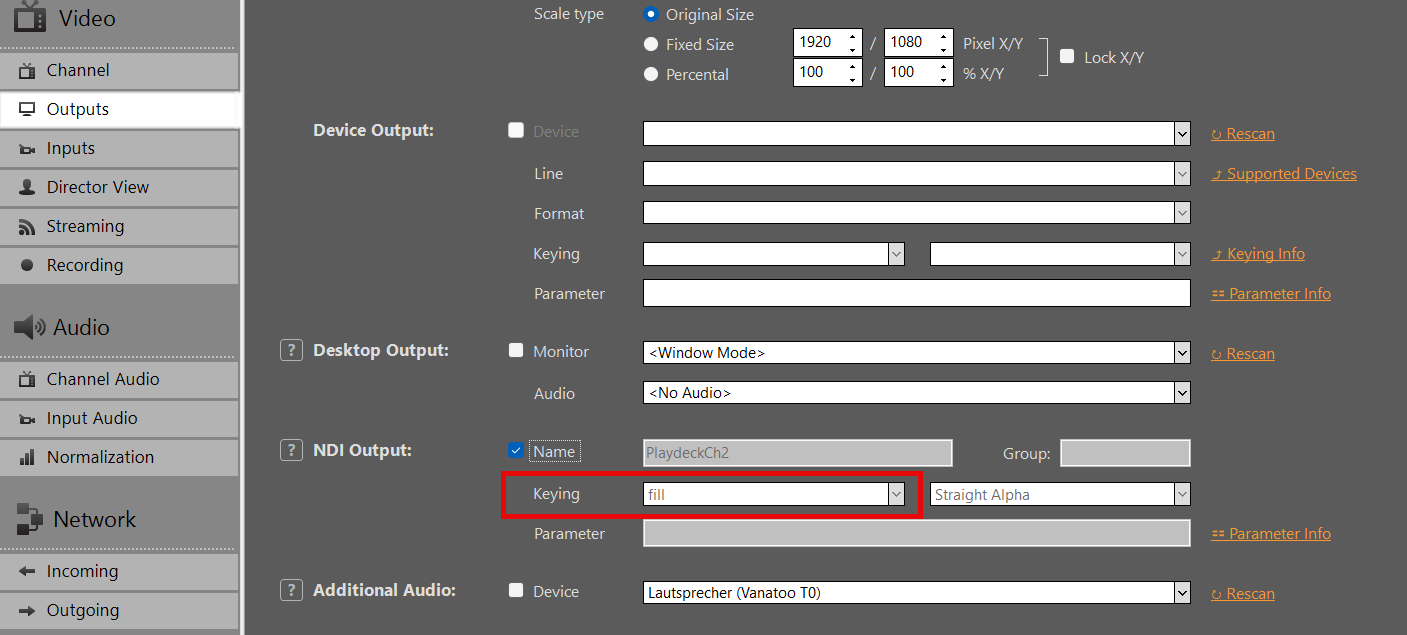
Activa la salida NDI en PLAYDECK, pero esta vez activa también la Keying:
Añade tu NDI como entrada en vMIX:
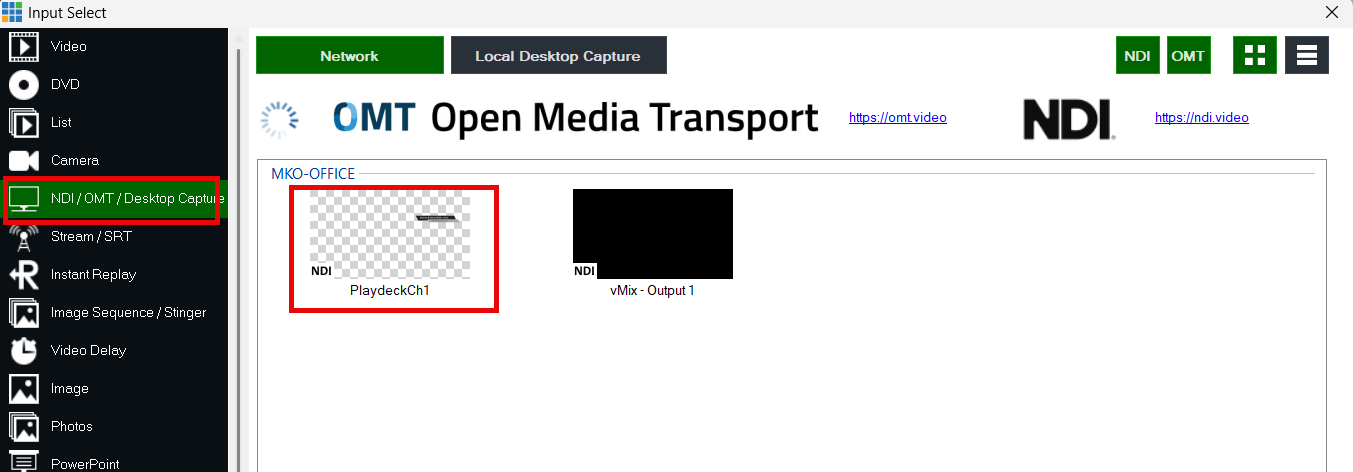
Utiliza los botones de superposición para colocar el vídeo sobre la señal de vídeo actual en vMIX: