
Vidéo depuis/vers vMix

La meilleure façon de connecter vMix à PLAYDECK (dans les deux sens) est d'utiliser NDI. L'audio multicanal est également entièrement pris en charge, tout comme l'incrustation.


Envoyer une vidéo depuis vMix vers PLAYDECK

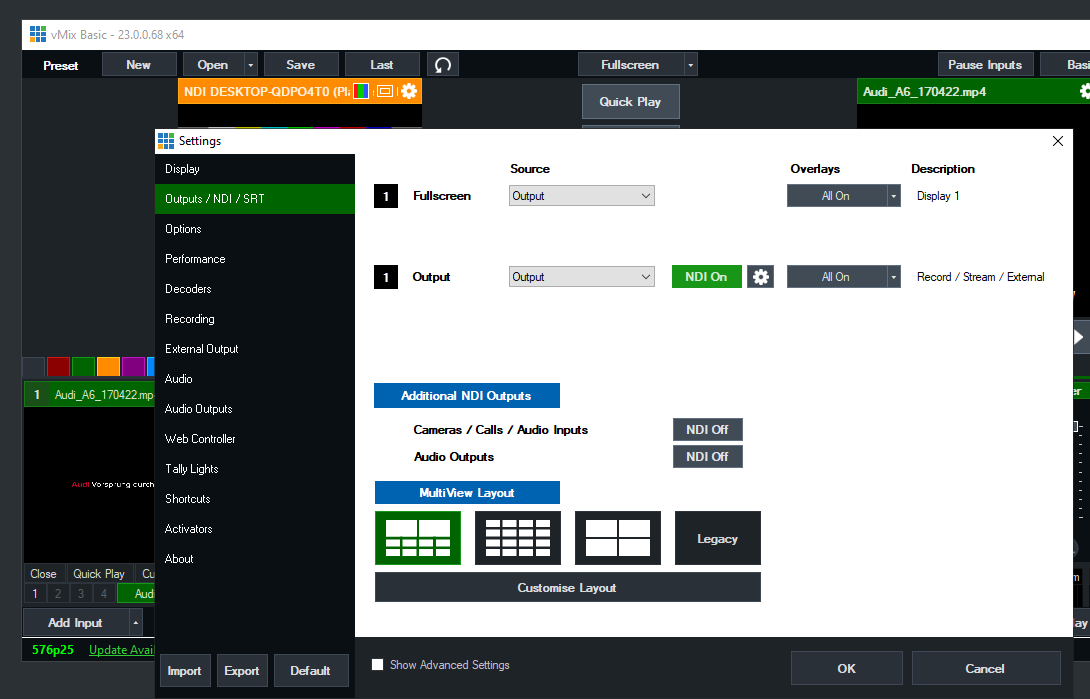
Il vous suffit d'activer NDI en tant que sortie externe comme suit :
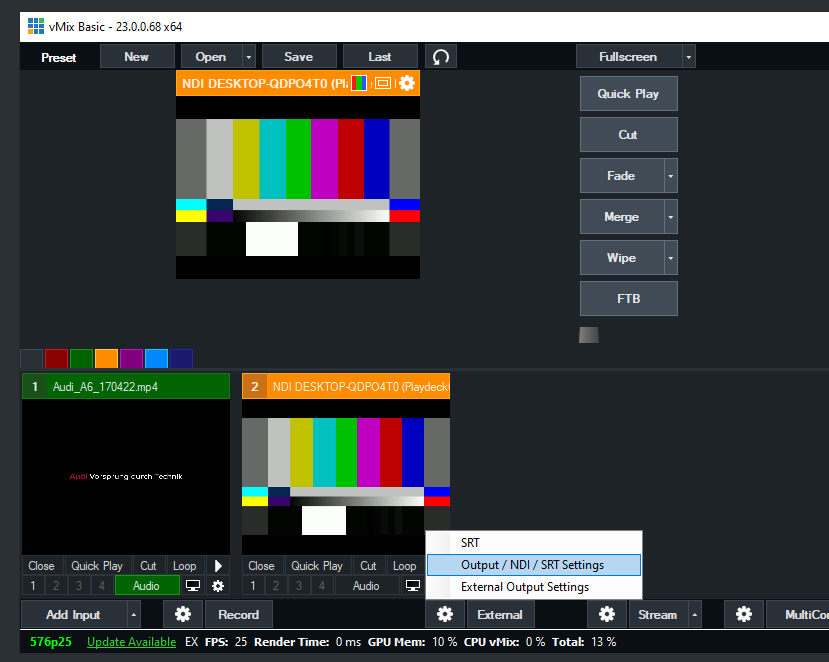
PLAYDECK Professional Video Playback Playout Software for Windows * Send and Receive Video to and from vMix


Envoyer une vidéo depuis PLAYDECK vers vMix

Activez la sortie NDI dans PLAYDECK et ajoutez le flux NDI en tant que nouvelle source dans vMix comme suit :
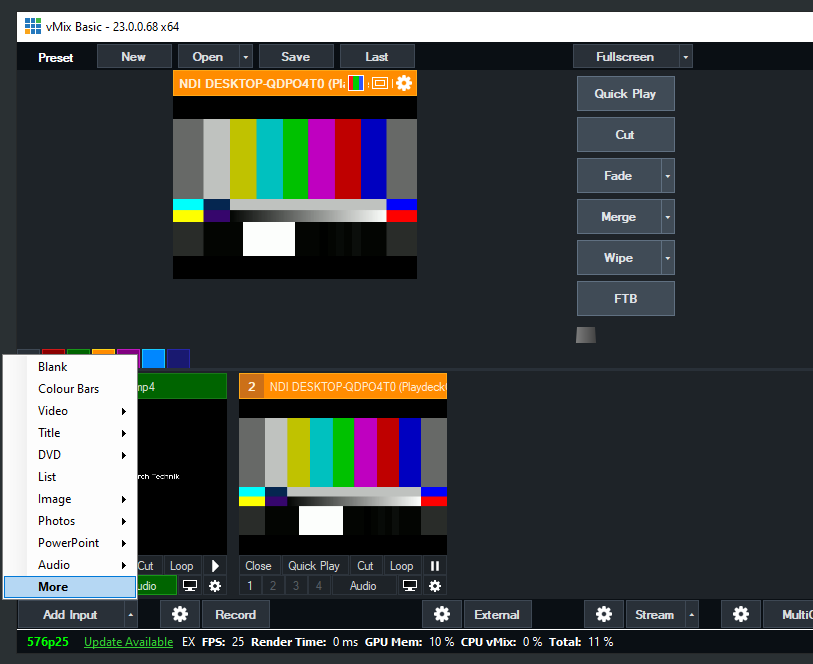
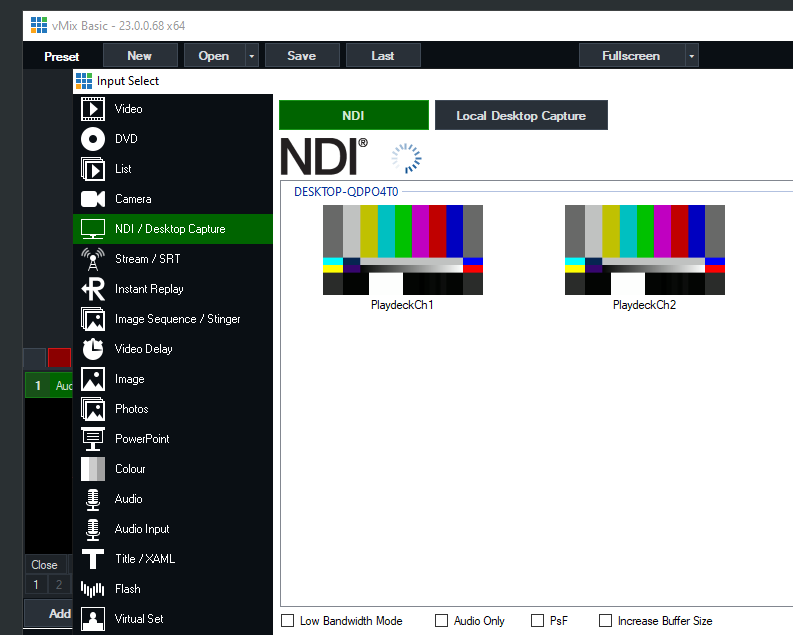
PLAYDECK Professional Video Playback Playout Software for Windows * Send and Receive Video to and from vMix


Envoyer un signal de remplissage avec canal alpha depuis PLAYDECK vers vMix

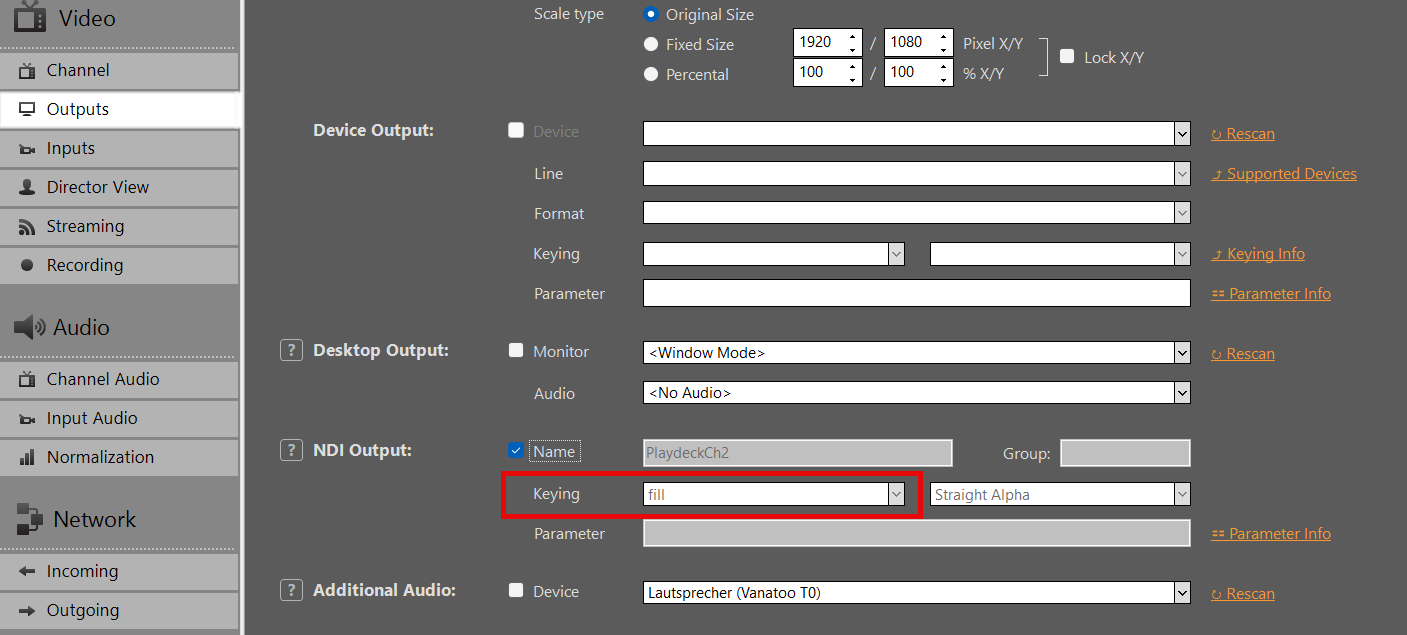
Activez la sortie NDI dans PLAYDECK, mais cette fois-ci, activez également la fonction Keying :
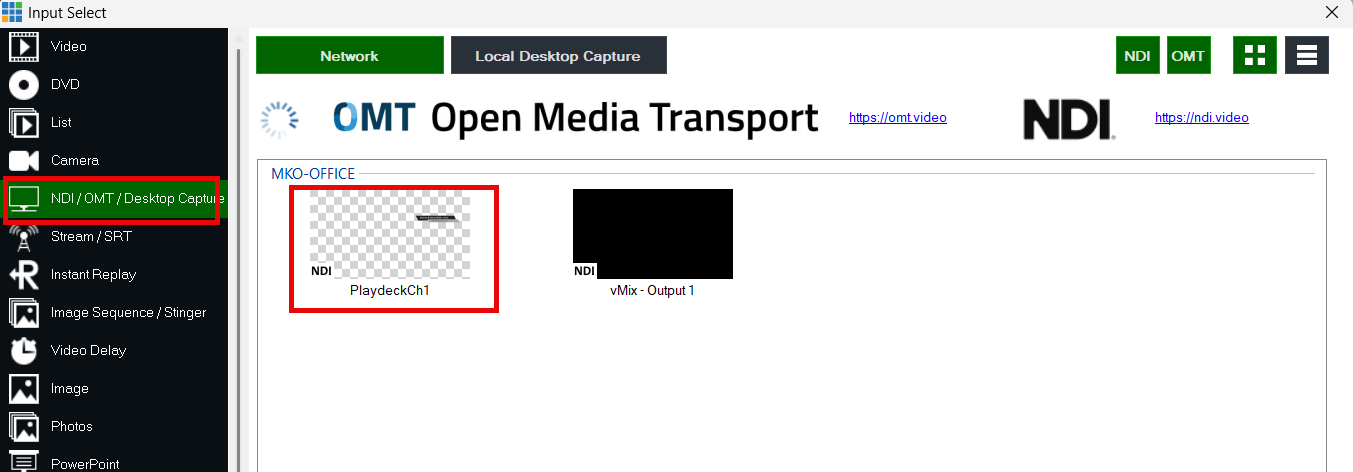
Ajoutez votre NDI en tant qu'entrée dans vMIX :
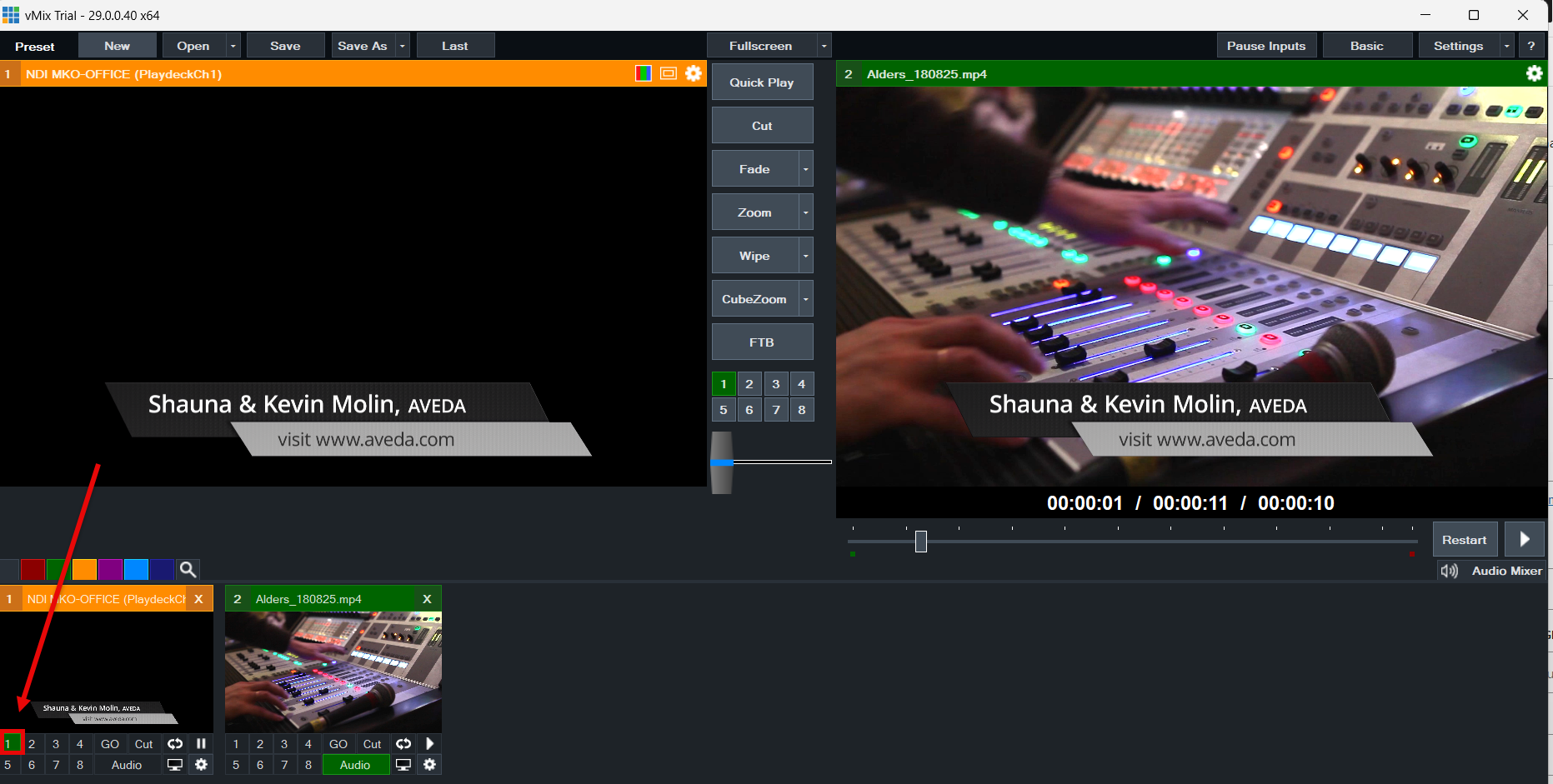
Utilisez les boutons de superposition pour superposer la vidéo sur le signal vidéo actuel dans vMIX :
Vidéo depuis/vers OBS Studio

La meilleure façon de connecter OBS à PLAYDECK (dans les deux sens) est d'utiliser NDI. L'audio multicanal est également entièrement pris en charge.

Comme OBS ne prend pas en charge le NDI par défaut, vous devez installer un plug-in supplémentaire, ce qui est très simple et rapide. Téléchargez le plug-in ici (Faites défiler vers le bas et cliquez sur “ distroav-6.0.0-windows-x64-Installer.exe ”). L'installation s'effectue comme pour n'importe quelle autre application Windows, via le programme d'installation.


Envoyer une vidéo depuis OBS vers PLAYDECK

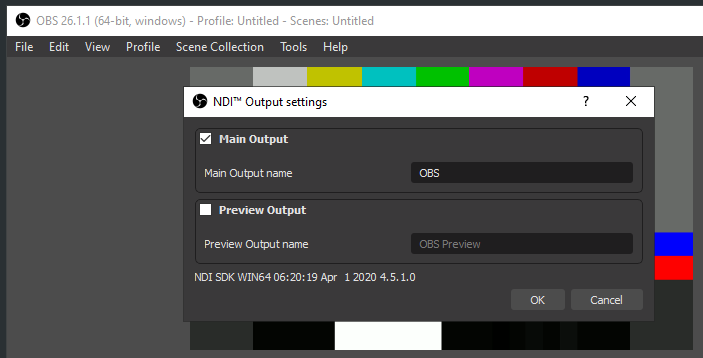
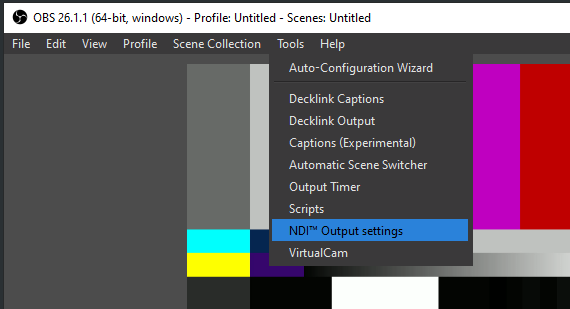
Le plug-in NDI ajoute une nouvelle option au menu Outils. Sélectionnez « Sortie NDI » et activez-la :

PLAYDECK Professional Video Playback Playout Software for Windows * Send and Receive Video to and from OBS


Envoyer la vidéo de PLAYDECK vers OBS

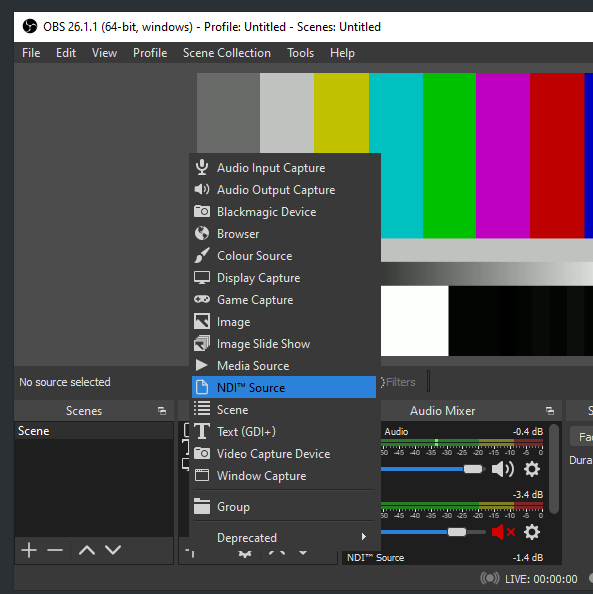
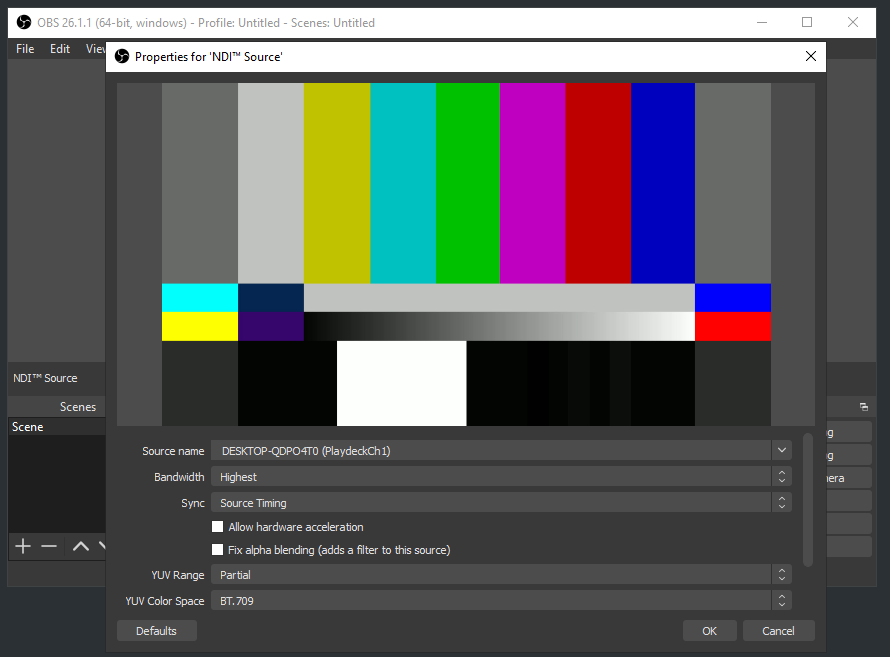
Activez la sortie NDI dans PLAYDECK. Le plug-in OBS NDI insère une nouvelle source NDI, que vous pouvez ajouter à votre scène OBS comme suit :

PLAYDECK Professional Video Playback Playout Software for Windows * Send and Receive Video to and from OBS