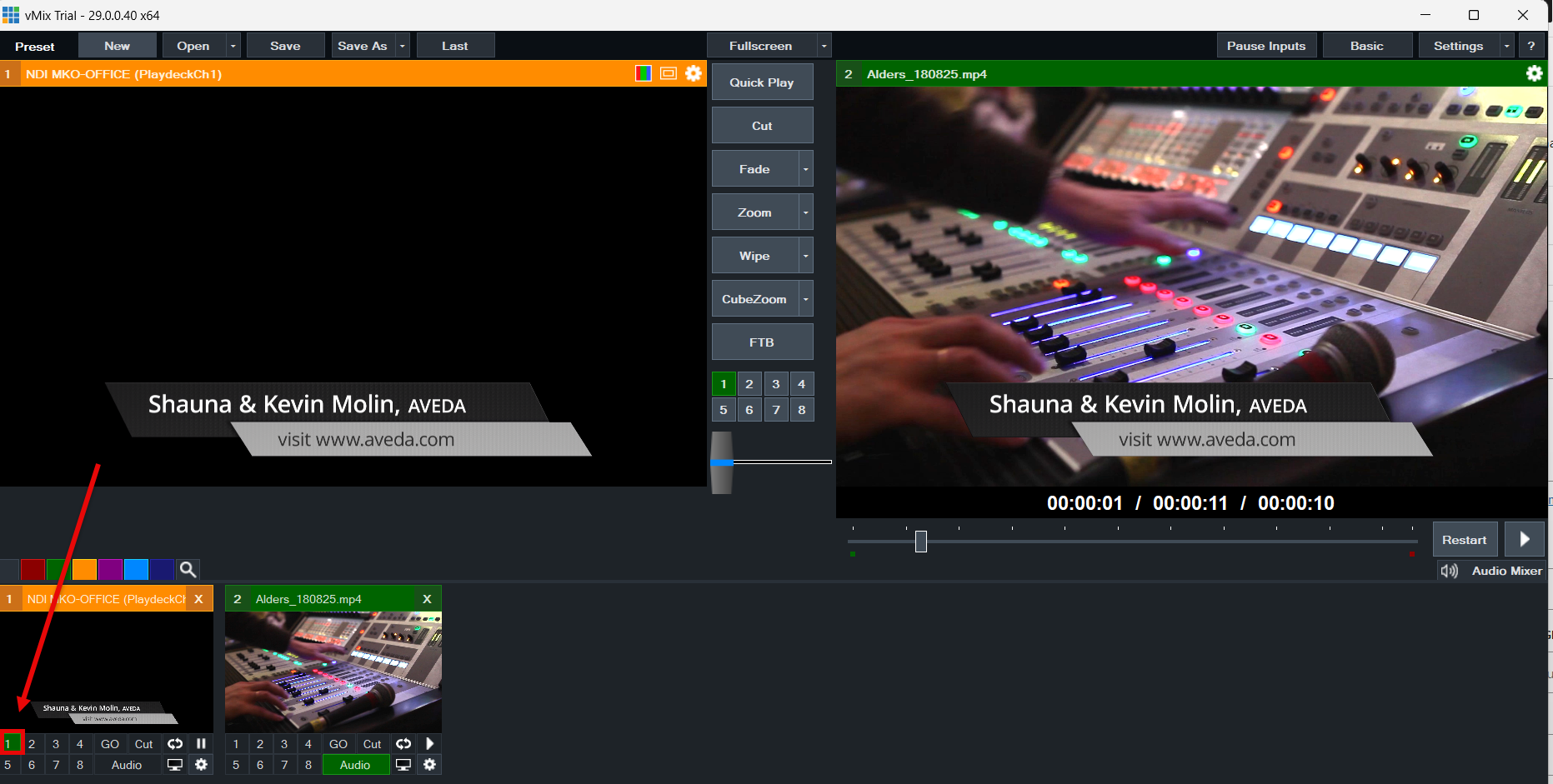

The best way to connect vMix with PLAYDECK (both ways) is NDI. Multichannel Audio is also fully supported as well as Keying.
Send Video from vMix to PLAYDECK
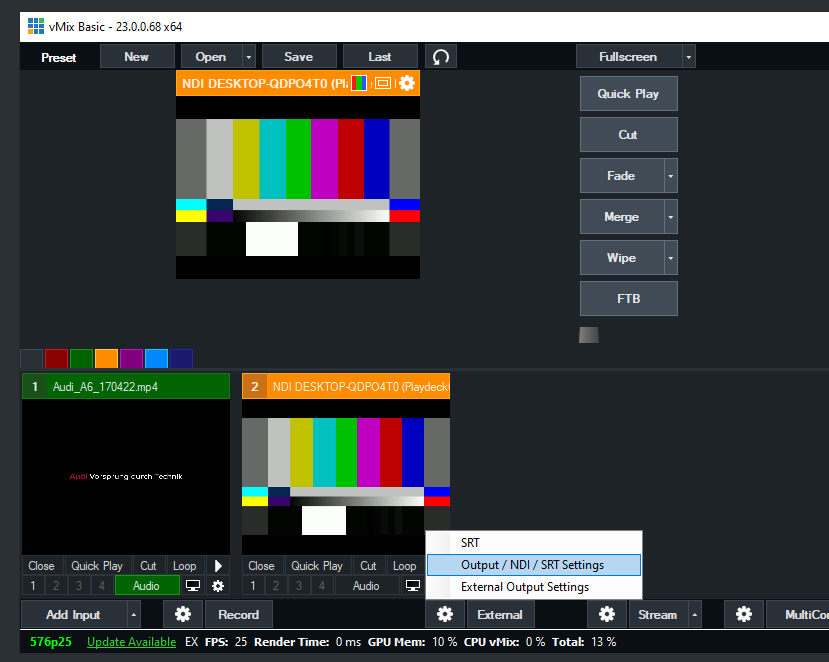
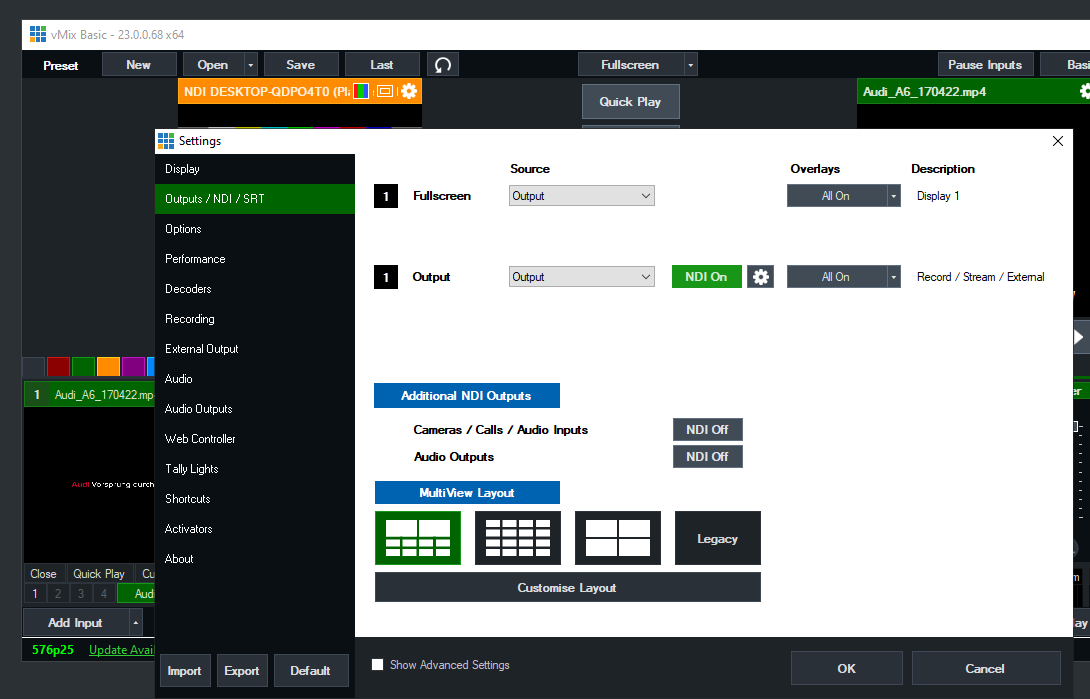
You only need to activate NDI as External Output like this:
Send Video from PLAYDECK to vMix
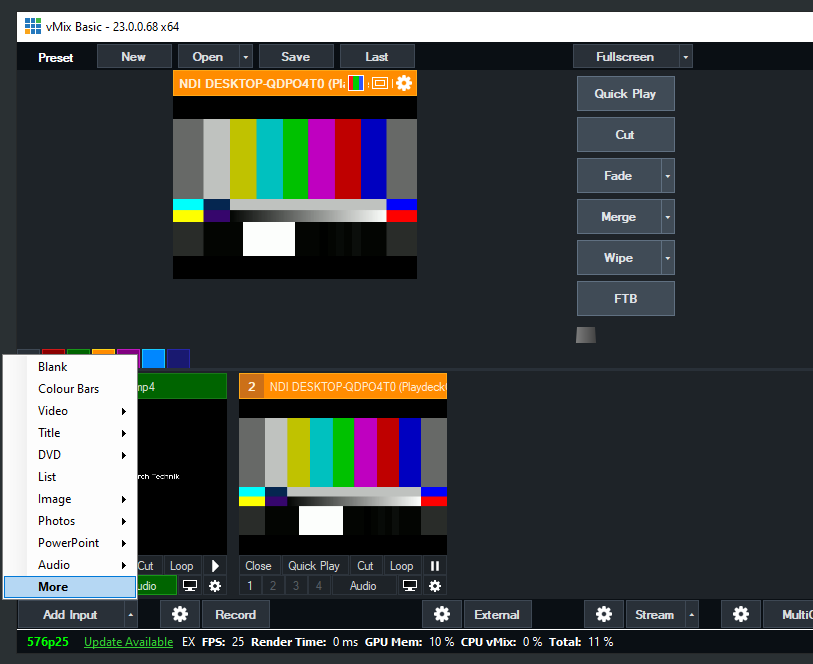
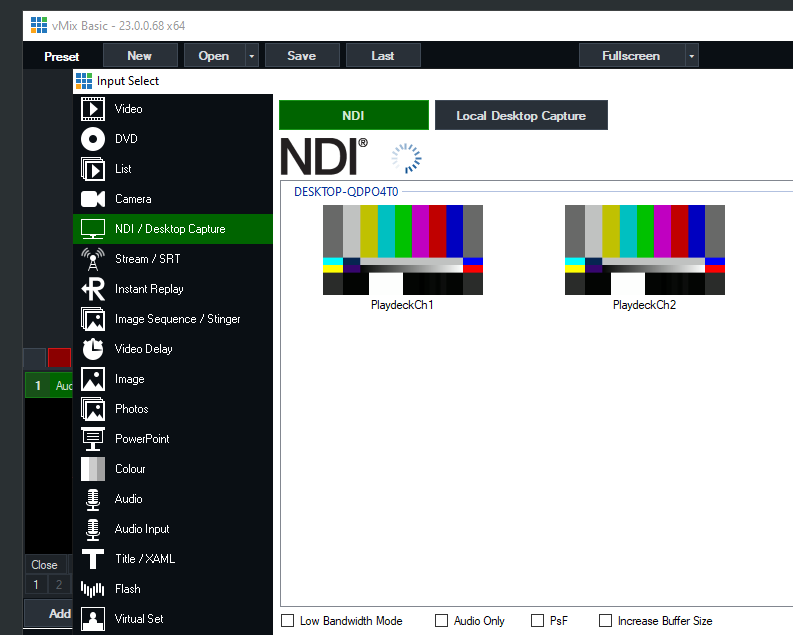
Activate NDI Output in PLAYDECK and add the NDI as new Source in vMix like this:
Send Fill Signal with Alpha Channel from PLAYDECK to vMix
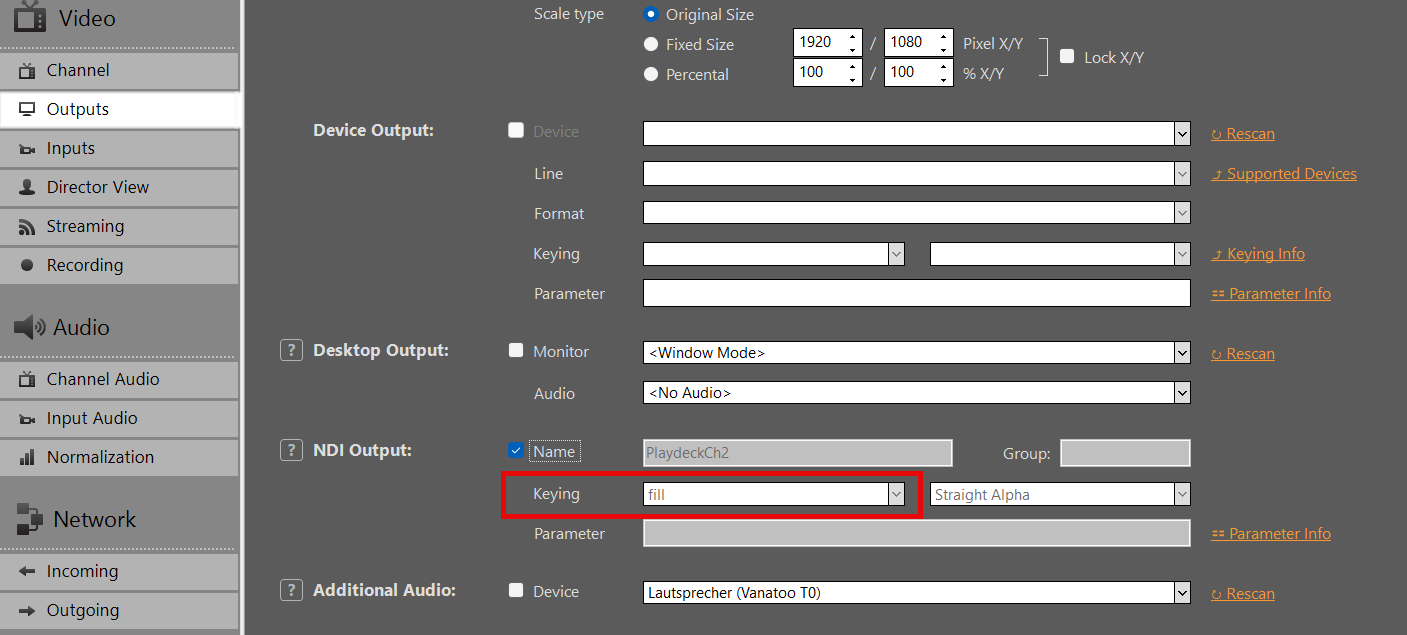
Activate NDI Output in PLAYDECK, but this time also activate Keying:
Add your NDI as Input in vMIX:
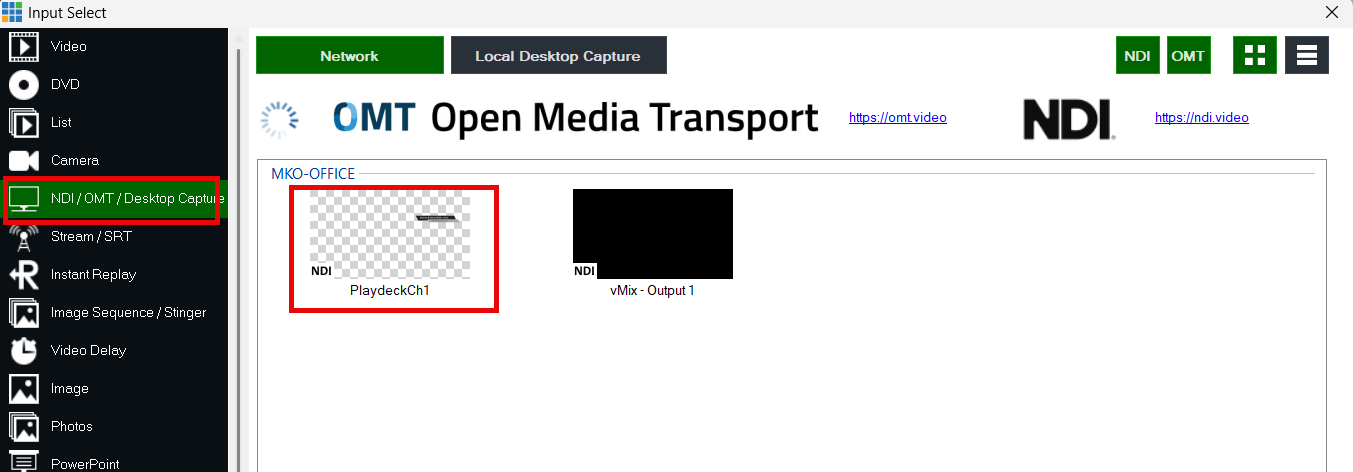
Use the Overlay Buttons to place the Video ontop of the current Video signal in vMIX: