
Why PLAYDECK? The Evolution of Professional Video Playout
Engineered by production professionals who grew tired of unreliable consumer media players, rigid operating systems, and overly complex, expensive media servers. PLAYDECK is the perfect, rock-solid playout engine built specifically for Windows.
Rethinking Windows Video Playback
For years, production teams were forced to choose between two extremes: unstable consumer media players that flash the Windows desktop on air, or massive, multi-thousand-dollar media servers that are far too time-consuming to configure for daily production tasks. PLAYDECK was born to bridge this exact gap. We sat down with broadcasters, AV engineers, and event technicians to define what a flawless, modern Windows playout software must deliver: absolute reliability, lightning-fast playlist changes, automatic loudness calibration, and instant remote adaptability.
Multi-Channel Versatility Without Boundaries
Maximize your on-site production efficiency with a media engine built for demanding, multi-source workflows.
- 8 Independent Playout Channels: Route up to 8 independent channels with different resolutions or frame rates simultaneously. Run background loops on channel 1, alpha-keyed lower thirds on channel 2, and independent background audio on channel 3.
- Universal Real-Time Scaling: Load any resolution, frame rate, or video codec into your active playlist. PLAYDECK automatically scales and transcodes your assets to match your hardware output target in real time.
- Seamless Background Failsafes: Never let your audience see a black screen or an accidental Windows desktop cursor. If a playlist ends, PLAYDECK automatically transitions to a pre-defined looping background video or graphic.
- Real-Time Non-Destructive Editing: Trim in/out points, resize aspect ratios, and re-order clips via a fast drag-and-drop integrated file manager—even while live playback is actively running on air.
Virtual OB Vans & Low-Latency Streaming
Modern broadcasting is shifting toward decentralized, virtualized environments. PLAYDECK is fully optimized to live and thrive in cloud infrastructures.
- Native NDI® Ecosystem: Seamlessly ingest and output pristine, low-latency video feeds across your local network or virtual production environment using fully integrated NDI® connectivity.
- Secure SRT Streaming: Feed or extract your broadcast signals securely with low latency over the public internet using fully integrated native SRT Stream Input and Output connectivity.
- Amazon AWS EC2 Optimization: Run your entire playout infrastructure smoothly inside Amazon Web Services. Perfect for remote image mixing, cloud-managed streaming feeds, and virtualized outside broadcast (OB) setups.
Seamless Integration Into Any Media Control Environment
PLAYDECK acts as a true team player, communicating natively with your physical hardware infrastructure.
- Direct Blackmagic Design ATEM Connection: Connect PLAYDECK directly to your ATEM switcher via your local network. Simply map your playout channels to your ATEM inputs—the moment your operator transitions to that input, PLAYDECK triggers an instant, frame-accurate Auto-Cue start.
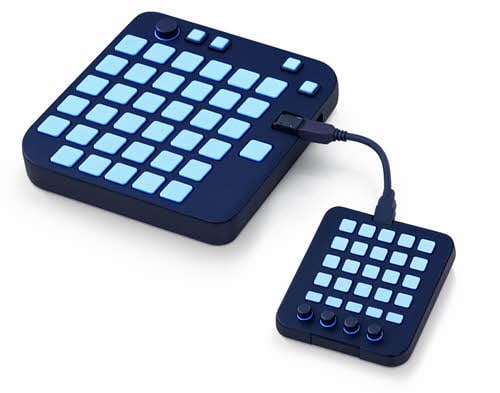
- Bitfocus Companion & Stream Deck: Take absolute physical control. Map nearly every single function of the PLAYDECK interface to customizable keyboard shortcuts or use our native module built directly into Bitfocus Companion for Elgato Stream Deck execution.
- Network TCP/IP Commands: Integrate PLAYDECK into complex, automated show flows using standardized TCP commands. It even comes natively pre-integrated into the Universe Show Control device library.
- Automated Tally Interface: Automate your entire show flow with your video mixing console via a standard COM port or USB tally interface for completely hands-free playback triggers.
Instant Edit-While-Ingest Workflows
Creating match highlights for sports venues or best-of compilations for live corporate events no longer requires a separate, time-consuming NLE editing station. PLAYDECK Studio Edition bridges the gap between recording and playback in real time.
- Simultaneous Record & Playout: While your active playlists are feeding your main screens, a dedicated secondary channel captures incoming live video signals flawlessly in your choice of professional codecs.
- Edit-While-Ingest Clip Creation: Cut, trim, and generate highlight clips with rapid keyboard shortcuts while the master recording is actively running in the background.
- Instant Playlist Transfer: Move your newly generated highlight clips instantly into one of your active playlist channels to air them right away during the ongoing live show.
- Live Sports Timing Optimization: Utilize advanced production features like Timeline Reset (setting the show clock to 00:00:00 at kickoff) or Timeline Offset (instantly jumping to 45:00:00 for the second half of a game) to keep your crew synchronized.
Small, Clever Extras Built for Demanding Operators
The difference between good playout software and exceptional production infrastructure lies in the micro-workflows. PLAYDECK includes specialized tools designed to remove stress from your control room.
- The Director View (Production Window): Cut out constant intercom countdown announcements. Output a dedicated, compact production feed via your system’s secondary HDMI or professional SDI output card. This gives your director and crew a real-time visual overview of remaining clip times and upcoming playlist items.
- Dynamic Schedule Block Automation: Keep your show perfectly on time. Assign hard target start times to specific playlist blocks. PLAYDECK will display highly visible countdown timers on both the operator interface and the Director View. If a live segment runs short and you trigger a video early, PLAYDECK automatically shifts all subsequent start calculations in real time.
- Failsafe Auto-Cue Functionality: Automate your technical transitions. At the end of a clip, PLAYDECK holds on the final frame for a customizable duration to allow your video switcher a clean, safe fade. It then instantly cues up the first frame of the next asset and waits for the start command.